
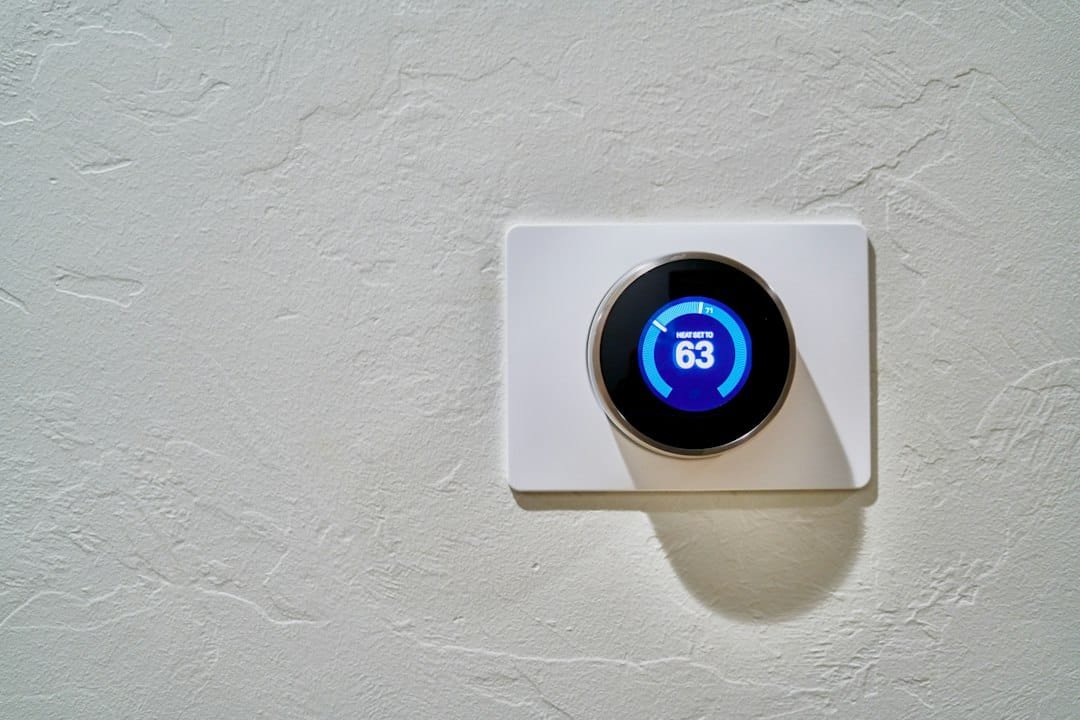
Quick answer: a remote thermostat sensor can help a single-zone HVAC system respond to the temperature in a bedroom, nursery, office or other important room. A compatible thermostat may also average several sensors or prioritize occupied rooms. But a sensor does not automatically create separate heating or cooling zones.
If one HVAC system serves the home as one zone, the equipment still heats or cools that zone together. A remote sensor can change which temperature the thermostat pays attention to. It cannot by itself close airflow to one room while continuing to condition another.
Editorial scope: this guide is research-based and uses current ENERGY STAR, Google Nest and ecobee documentation. It does not claim hands-on testing of every thermostat or sensor. Exact sensor behavior varies by thermostat model, firmware, HVAC design and region.
Start with the difference between sensing and zoning
A temperature sensor measures a room. A thermostat decides whether the HVAC system should call for heating or cooling. A zoning system controls where conditioned air or water goes.
Those are three different jobs.
| System element | What it does | What it does not prove |
|---|---|---|
| Remote temperature sensor | Measures temperature in another room or area | That the room can be heated or cooled independently |
| Occupancy sensor | Helps a compatible thermostat know which rooms are in use | That every occupied room can receive separate airflow |
| Smart thermostat | Uses selected sensor data, schedules and control logic to call for HVAC operation | That the ductwork or hydronic system has multiple zones |
| True HVAC zoning | Separates conditioning into independently controlled areas using supported HVAC hardware | That one room sensor alone can create that separation |
Google’s current Nest Temperature Sensor documentation makes the core point clear: the HVAC system still operates as the same system, but it can use a sensor reading from another room instead of the thermostat’s own reading. In a single-zone system, the rest of the home is still affected when the equipment runs.
What a room sensor can genuinely improve
Many thermostats are installed in a hallway or another location that is convenient for wiring but not representative of where people spend time.
A bedroom may run colder at night. A sunny office can warm faster in the afternoon. An upstairs room can be several degrees different from the thermostat location. ENERGY STAR specifically notes that remote temperature sensors can help manage temperature differences in single-zone homes caused by factors such as insulation and sun exposure.
A compatible sensor can help by letting the thermostat:
- use the bedroom temperature overnight
- prioritize a home office during working hours
- average several selected rooms on supported systems
- include occupancy information in comfort decisions where the platform supports it
- show you where persistent hot and cold spots actually occur
- separate a room-temperature problem from a misleading thermostat location
That can improve comfort without changing the ductwork, but it has limits.
What happens when the thermostat follows a colder room?
Suppose the hallway thermostat reads 70°F while a bedroom sensor reads 67°F. If the thermostat begins using the bedroom sensor and the target is 70°F, the system may continue heating until the bedroom approaches the target.
That can improve the bedroom. It can also make the hallway or another room warmer than before because the same single-zone system is still delivering heat elsewhere.
The sensor has not balanced the house. It has changed the control reference.
This is why remote sensors are useful for comfort but should not be presented as a universal fix for poor airflow, insulation problems, oversized equipment or badly designed ductwork.
Nest sensors: selected rooms and averaging depend on the thermostat generation
Google’s current documentation shows an important model-specific difference.
Compatible older Nest Learning Thermostat and Nest Thermostat E setups can prioritize a particular sensor and use scheduled sensor changes. The current Nest Learning Thermostat 4th generation can use multiple selected sensors together and control based on their average temperature.
Google also documents different limits on the number of supported sensors by thermostat generation.
That is exactly why you should check the thermostat generation rather than assuming every sensor from the same brand behaves the same way.
ecobee sensors: temperature plus occupancy can change the priority
ecobee’s current SmartSensor combines temperature and occupancy sensing. Its Follow Me feature is designed to detect which rooms are in use and adjust temperature decisions for comfort in those spaces. Smart Home & Away can also use occupancy-related information as part of how the thermostat changes settings when people leave or return.
This is a different control model from simply selecting one bedroom sensor on a fixed schedule.
Again, the sensor does not physically create duct zones. It changes how the thermostat weighs room conditions when deciding what the existing HVAC system should do.
Do not buy sensors before defining the comfort problem
Write down the complaint first.
Examples:
- “The bedroom is too cold after midnight.”
- “The upstairs office overheats on sunny afternoons.”
- “The nursery is comfortable only when the hallway is too warm.”
- “The thermostat says 72°F but the room we use feels much colder.”
Then measure the problem for several days before changing the control logic.
A sensor is most useful when the pattern is repeatable. If the room temperature swings unpredictably, the cause may involve airflow, equipment cycling, solar gain, open doors, filter condition or another mechanical issue.
Place the sensor where a person actually experiences the room
Sensor placement can create bad data.
Google advises keeping Nest Temperature Sensors where air can move around them and away from direct heating or cooling sources such as fireplaces. The same general principle applies to any room sensor: measure the room, not a local heat source.
Avoid placing a temperature sensor:
- directly above a supply register
- beside a radiator or portable heater
- in direct sun
- behind curtains or large furniture that block room airflow
- next to electronics that release noticeable heat
- in a location where a door or exterior surface makes the reading unrepresentative
If the manufacturer allows a tabletop stand or temporary placement, test the room before mounting the sensor permanently.
One sensor per room is not automatically better
More measurements can be useful, but they also create more choices about which room should drive the HVAC system.
If a thermostat averages multiple sensors, a very warm or cold room can pull the average away from the room you care about most. If occupancy logic is active, changing which rooms are considered occupied can also change the control behavior depending on the platform.
Add sensors because you have a room-level question, not because the thermostat supports a large number of them.
ecobee currently says one account can accommodate up to 32 SmartSensors. Nest publishes different sensor limits by thermostat generation. Capacity is not the same as a recommendation to fill every room.
Use a schedule when room priority changes predictably
A simple sensor schedule often works well when the household pattern is predictable.
For example:
- morning: kitchen or main living area
- workday: home office
- evening: living room
- night: bedroom
Google’s current Nest sensor documentation supports time-based sensor selection on compatible models. This can be easier to understand than occupancy logic when the household follows a regular pattern.
The goal is not maximum automation. It is a control rule you can explain when the room feels wrong.
Use occupancy carefully
Occupancy can be useful, but it is not the same as comfort.
A room can be occupied and already comfortable. A person can sit still for a long period. A platform may use motion, presence, geofencing or a combination of signals differently.
When occupancy affects temperature control, test ordinary life rather than only walking in front of the sensor during setup.
For a broader explanation of movement versus presence sensing, see Motion Sensor Automation Ideas.
Remote sensors do not repair airflow
If one bedroom receives very little supply air, following that bedroom sensor may simply make the HVAC system run longer.
That can overcondition other rooms without fixing the underlying airflow problem.
Persistent room-to-room differences can justify checking:
- blocked or closed registers
- dirty filters
- return-air pathways
- duct leakage or restrictions
- insulation and air sealing
- solar gain through windows
- equipment sizing and cycling
- whether the HVAC system was designed for zoning
Do not close large numbers of registers as an improvised zoning strategy unless the HVAC manufacturer or a qualified professional says the system supports that approach. Changing airflow can affect equipment performance.
Smart vents are not a universal shortcut to zoning
Products that regulate individual supply registers can change room airflow, but they introduce HVAC design questions that a temperature sensor alone does not answer.
The system still needs appropriate total airflow, pressure management, equipment compatibility and a control strategy for what happens when several rooms restrict airflow at once.
If you want true room-by-room control, treat it as an HVAC design project rather than adding motorized vents one by one.
True zoning changes the HVAC distribution system
A zoned forced-air system typically uses supported dampers, controls and thermostats or sensors to direct conditioned air to different areas. Hydronic systems can use different zone-control hardware. Ductless and multi-split systems may already have separate indoor units with their own control logic.
The exact architecture depends on the HVAC equipment.
If the goal is genuinely different setpoints in different parts of the home at the same time, confirm whether the installed system supports that outcome before buying remote sensors.
Room sensors can still be useful before a zoning upgrade
Even when a sensor cannot create separate zones, the data can help you understand whether zoning or another building improvement is worth investigating.
Record:
- thermostat temperature
- room-sensor temperature
- outdoor conditions
- whether the HVAC system is heating, cooling or idle
- which rooms are occupied
- whether doors are open or closed
- how long the difference persists
A repeated five-degree difference at the same time every day tells you more than one uncomfortable evening.
Do not confuse comfort optimization with energy savings
ENERGY STAR notes that smart thermostats can save energy through scheduling, learning, geofencing and occupancy-related features. Remote sensors can help comfort, but asking the system to satisfy the coldest or hottest room can sometimes increase runtime.
If you change sensor logic, compare comfort and runtime rather than assuming the new setup automatically saves energy.
Use How to Measure Smart Home Energy Use Safely for plug-level devices, but remember that whole-home HVAC energy tracking may require thermostat runtime data, utility data or other appropriate metering rather than an ordinary smart plug.
Keep manual control and a fallback schedule
A thermostat is part of a system that needs to remain understandable when Wi-Fi or a cloud service is unavailable.
ENERGY STAR’s current smart-thermostat criteria require certified models to work as a basic thermostat when connectivity to the service provider is absent.
That is a useful design principle even beyond certification. Know how to:
- change the setpoint at the thermostat itself
- return control to the thermostat’s built-in sensor if a remote sensor fails
- disable or simplify a confusing sensor schedule
- recognize when comfort logic is causing longer system runtime
A room sensor should make the system easier to live with, not harder to recover.
Renter and shared-home considerations
Remote sensors can be renter-friendly because they usually avoid fixed-wiring changes. The thermostat itself may still belong to the property owner, and changing schedules, accounts or connected equipment can affect everyone in the home.
Before changing the thermostat or its owner account, check permission and document the original setup. For move-out or handover, use the Device Inventory & Account Transfer Tracker and the Renter Smart Home Installation & Move-Out Checklist.
A practical room-sensor setup process
- Define one comfort problem. Pick the room and time period that matters.
- Confirm thermostat compatibility. Check the exact thermostat generation and supported sensor model.
- Measure before changing control. Compare the thermostat and room for several days.
- Place the sensor carefully. Avoid direct sun, registers and local heat sources.
- Start with simple logic. Use one scheduled room or a small sensor group before adding occupancy rules.
- Watch the rest of the house. Make sure solving one room does not make another room unacceptable.
- Review HVAC runtime. Comfort may improve at the cost of longer operation.
- Escalate mechanical problems. Persistent airflow or zoning issues belong with the HVAC system, not just the app.
Related WesternTechy guides and tools
- Smart Thermostat Compatibility & Safe Setup
- Smart Home Humidity & Air Quality Sensors
- Motion Sensor Automation Ideas
- Reliable Smart Home Automations
- Smart Home Compatibility Matrix
- Smart Home Planning Checklist & Worksheet
Sources and editorial method
WesternTechy checked current primary documentation for the sensor capabilities and limits described in this guide.
- ENERGY STAR: Smart Thermostats
- ENERGY STAR: Smart Thermostat Key Product Criteria
- Google Nest: Learn about the Nest Temperature Sensor
- Google Nest: Temperature schedules and sensors
- ecobee: SmartSensor temperature and occupancy sensor
Features can change with hardware revisions, software updates and region. Verify the exact thermostat, sensor and HVAC system before relying on a specific behavior.