
Quick answer: time-of-use electricity rates reward you for moving flexible electricity use away from expensive periods and into cheaper ones. Smart-home automation can help, but only when the load is appropriate to shift and the control method is supported by the equipment.
The safest strategy is usually to schedule a device through its own built-in controls, charger, thermostat or manufacturer-supported smart function. Do not add a generic smart plug to a high-power, heating, medical, security or life-safety load just to chase a lower rate.
Editorial scope: this guide is research-based. WesternTechy reviewed current U.S. Department of Energy, ENERGY STAR, Alternative Fuels Data Center and utility documentation. Rate periods vary by utility, tariff, season and region, so always check your own plan before automating around a specific clock time.
What time-of-use pricing actually changes
On a flat electricity rate, one kilowatt-hour may cost the same regardless of when you use it. On a time-of-use plan, the price can change by time of day and sometimes by season.
The U.S. Department of Energy describes time-variable pricing as a family of rates where electricity prices change over time. A simple time-of-use plan normally has defined peak and off-peak periods. Other tariffs can include shoulder periods, critical-peak events, day-ahead prices or real-time pricing.
The practical goal is not “use less electricity at all costs.” It is often:
- reduce electricity used during the most expensive period
- move flexible loads to a cheaper period
- avoid creating a new peak by starting several large loads at once
- keep comfort, safety and equipment requirements intact
Check the tariff before changing any automation
Do not copy someone else’s “off-peak” schedule from a forum or video.
A current PG&E residential time-of-use plan, for example, uses a 4 p.m. to 9 p.m. peak period, but that is one utility and one tariff. Other utilities use different hours, seasons, weekends and rate structures.
Before building an automation, write down:
- the exact rate plan name
- peak hours
- off-peak hours
- shoulder or partial-peak periods, if any
- seasonal changes
- weekend and holiday rules
- whether demand charges apply
- whether a critical-peak or demand-response program is separate from the tariff
A smart-home schedule built around the wrong rate window can increase cost instead of reducing it.
Time-of-use and demand response are related, but not the same
Time-of-use pricing is part of your electricity rate. It changes what electricity costs at defined times.
Demand response is a program in which a utility or program operator may ask participating devices or customers to reduce load during specific grid events.
ENERGY STAR describes demand response as a way for participating smart devices such as thermostats, room air conditioners, pool pumps and other equipment to reduce load during high-demand periods with the customer’s permission.
That means one household can have both:
- a time-of-use tariff that changes the normal price by time of day
- a separate demand-response program that occasionally asks for temporary load reduction
Do not assume enrolling in one automatically enrolls you in the other.
Strong automation candidate: EV charging
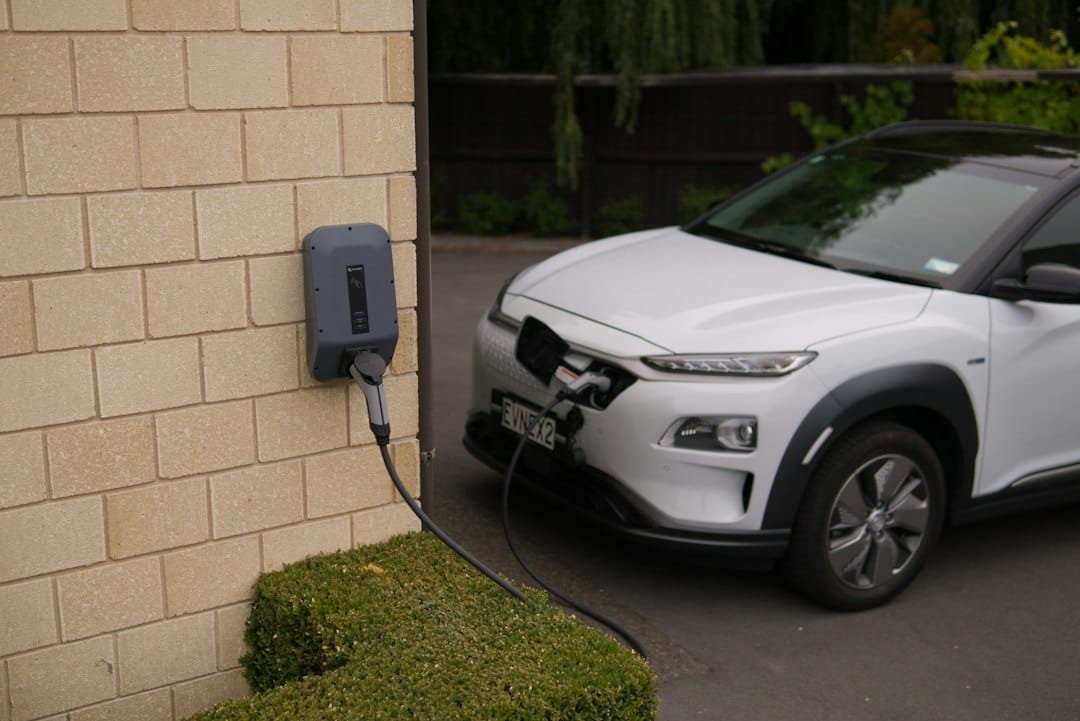
EV charging is one of the clearest examples of a flexible residential load.
The Alternative Fuels Data Center documents many utility time-of-use rates designed specifically for EV charging, and DOE smart-charge-management guidance highlights off-peak charging as a way to reduce electricity cost.
The best control method is usually the vehicle or EV charger itself, because it understands charging state, current limits and session status.
A practical approach is:
- confirm the vehicle must be ready by a certain departure time
- check the utility’s off-peak period
- set the vehicle or charger to begin charging in that window
- keep enough time available to reach the required state of charge
- verify the first several sessions rather than assuming the schedule worked
Do not use a generic plug-in switch as a substitute for an EV charging control system.
Strong automation candidate: thermostats, within comfort and equipment limits
Heating and cooling can be a large household load, but HVAC is not something to hard-switch with an ordinary smart plug.
A compatible smart thermostat is the correct control layer.
ENERGY STAR-certified smart thermostats support scheduling and are designed to continue basic thermostat operation if the service-provider connection is unavailable. Many can also participate in utility programs where available.
A time-of-use strategy might pre-cool or pre-heat moderately before an expensive period, then allow the temperature to drift within a comfortable range during the peak window.
The correct limits depend on the HVAC system, climate, occupants and home. Do not create extreme temperature changes just to shift a small amount of energy.
For compatibility and equipment limits, use Smart Thermostat Compatibility & Safe Setup.
Good candidate: appliances with manufacturer-supported delay or smart scheduling
Some connected dishwashers, clothes washers and dryers support delayed or scheduled operation. ENERGY STAR lists several connected appliance categories that can support energy-related smart functionality.
That can make them useful for shifting a cycle out of a peak period, but use the appliance’s own supported controls rather than adding an unrelated power switch.
Before scheduling:
- follow the appliance manufacturer’s operating instructions
- make sure delayed operation is appropriate for what is inside the appliance
- avoid creating noise or disturbance during overnight hours
- check whether the cycle will actually finish before the next household need
- confirm the appliance resumes safely after a power interruption
Good candidate: pool pumps and other equipment with native scheduling
Pool pumps can be highly schedulable when the pump and pool system are designed for timed operation.
ENERGY STAR includes pool pumps among connected products that can participate in smart energy management and demand-response functions.
The key is to use the pump’s controller or a control system rated and designed for the equipment.
Do not add an ordinary indoor smart plug to a pool pump or other outdoor motor load.
Good candidate: home batteries, when the battery system supports tariff-aware control
Home battery systems can sometimes charge, discharge or preserve reserve capacity according to utility rates and backup preferences.
Use the battery manufacturer’s documented control modes rather than trying to reproduce battery management with unrelated smart-home switches.
The battery system has to balance tariff optimization with backup reserve, solar production, inverter limits and battery health.
Energy shifting is useful only if it respects the system’s operating rules.
Potential candidate: water heating, but only through supported controls
Electric water heating can be a large flexible load because a storage tank holds thermal energy for later use.
That does not make the heater suitable for a generic smart plug or improvised relay.
If the water heater has a manufacturer-supported schedule, utility controller, smart interface or professionally installed load-management system, it may be appropriate to shift some heating outside peak periods.
If no supported control path exists, leave the power system alone.
Usually leave refrigeration alone
A refrigerator or freezer may have smart energy features of its own, but cutting power with an external smart plug is usually the wrong way to reduce peak usage.
Food safety, compressor behavior and recovery after an outage matter more than a small tariff difference.
If the appliance supports utility or manufacturer-managed defrost scheduling, use that supported function. ENERGY STAR notes that connected products may shift functions such as refrigerator defrost timing with user permission.
Do not build a routine that repeatedly removes power from the entire refrigerator.
Leave medical, alarm and life-safety equipment alone
Do not time-shift equipment whose loss of power could create a safety, health or security problem.
That includes, depending on the home:
- medical equipment
- alarm panels
- smoke and carbon-monoxide systems that depend on mains power
- critical network equipment supporting monitored security
- sump pumps or other protective equipment needed during an event
Energy optimization does not justify introducing an unreliable switching point.
Be very cautious with space heaters and other portable heating loads
Portable heating appliances can draw substantial current and create fire risk if controlled or connected incorrectly.
Do not put a space heater on a generic smart plug simply to shift heating into an off-peak period.
If a heating appliance has its own manufacturer-approved thermostat or schedule, use that feature as instructed. Otherwise, leave power control manual.
Do not shift everything to the exact same minute
A common automation mistake is moving every flexible load to the start of the off-peak window.
For example, if EV charging, a dryer, dishwasher and electric water heater all start at 9:00 p.m., the household may create a large instantaneous load.
On tariffs with demand charges or capacity-related components, that can matter. Even without a demand charge, staggering loads can reduce stress on the household electrical service.
A better approach is to sequence flexible loads based on priority and how long each one needs.
Demand charges are different from energy charges
DOE distinguishes energy charges, which are based on kilowatt-hours consumed, from demand charges, which can be based on the highest kilowatt demand during a defined period.
Most residential customers do not need to think about complex commercial demand tariffs, but some residential or EV plans can include demand-related components.
If your bill has a demand charge, shifting every large load into the same cheap-energy window can reduce kWh cost while increasing the demand component.
Read the tariff, not just the app’s “peak/off-peak” label.
Use energy monitoring to verify the automation
A time-of-use routine is only useful if it changes the household load the way you intended.
Use utility interval data, a whole-home monitor, circuit-level monitoring or appropriate plug-level measurement to compare before and after.
For example:
- Did EV charging actually move out of the peak period?
- Did the thermostat reduce HVAC runtime during expensive hours?
- Did another load start earlier and cancel the expected savings?
- Did shifting the dishwasher make any meaningful difference?
Use Whole-Home vs Circuit-Level Energy Monitoring to choose the right measurement layer.
Cost savings depend on the price difference, not just the number of kilowatt-hours shifted
Suppose you move 3 kWh from peak to off-peak.
If the price difference is small, the savings may also be small. If the price difference is large and the shift happens every day, it can become more meaningful.
The basic comparison is:
shifted energy × difference between peak and off-peak price
But the real bill can also include fixed charges, taxes, seasonal rates, baseline tiers, demand charges and program credits.
Use the utility’s current tariff or bill calculator when available.
Do not sacrifice comfort or convenience for trivial savings
Automation has a maintenance cost too.
If a routine makes the house uncomfortable, wakes people at night, leaves the car undercharged or creates a confusing recovery process after an outage, the automation may not be worth the tariff savings.
The best time-of-use automations are usually invisible:
- the EV is ready when needed
- the thermostat stays within a comfortable range
- an appliance finishes before morning
- the household does not have to remember the rate every day
Keep an override
A tariff schedule should not trap the household.
You may need hot water, vehicle charging, cooling or an appliance cycle during an expensive period. The system should make it easy to override the normal schedule when the real-world need matters more than the rate.
ENERGY STAR’s smart-thermostat criteria preserve the consumer’s ability to override utility requests. That is a good general smart-home principle: optimization should assist the user, not remove control.
A practical time-of-use automation plan
| Step | What to do |
|---|---|
| 1. Verify the rate | Record the exact peak, off-peak, seasonal and weekend rules. |
| 2. Find flexible loads | Choose loads that can move in time without creating safety or comfort problems. |
| 3. Use native controls first | Prefer the vehicle, charger, thermostat, appliance or energy system’s own schedule. |
| 4. Stagger large loads | Avoid starting every high-power device at the same minute. |
| 5. Keep an override | Make manual operation obvious when the schedule does not fit the day. |
| 6. Measure the result | Use utility or monitoring data to confirm that load actually moved. |
| 7. Review after rate changes | Utilities can change tariff hours, seasons and prices. |
A simple priority order
If you are new to time-of-use rates, start with the largest flexible load that already has safe built-in scheduling.
For many homes, that means:
- EV charging
- thermostat scheduling or supported demand-response settings
- manufacturer-supported appliance delay
- pool equipment with a proper controller
- battery or solar storage controls where available
Do not start by attaching smart plugs to random appliances around the house.
Related WesternTechy guides and tools
- Smart Home Energy & Cost hub
- Whole-Home vs Circuit-Level Energy Monitoring
- How to Measure Smart Home Energy Use Safely
- Smart Thermostat Compatibility & Safe Setup
- Smart Thermostat Utility Programs
- Smart Home Cost & Budget Calculator
Sources and editorial method
WesternTechy checked current primary and government documentation for the rate and automation concepts used in this guide.
- U.S. Department of Energy: Demand Response and Time-Variable Pricing Programs
- U.S. Department of Energy: Evaluating Your Utility Rate Options
- ENERGY STAR: Connected Product Features and Demand Response
- ENERGY STAR: Smart Thermostat Key Product Criteria
- Alternative Fuels Data Center: Utility and EV Time-of-Use Incentives
- PG&E: Residential Time-of-Use Rate Plans
Rate periods, prices and program terms can change. Check your current utility tariff before relying on a specific schedule.