
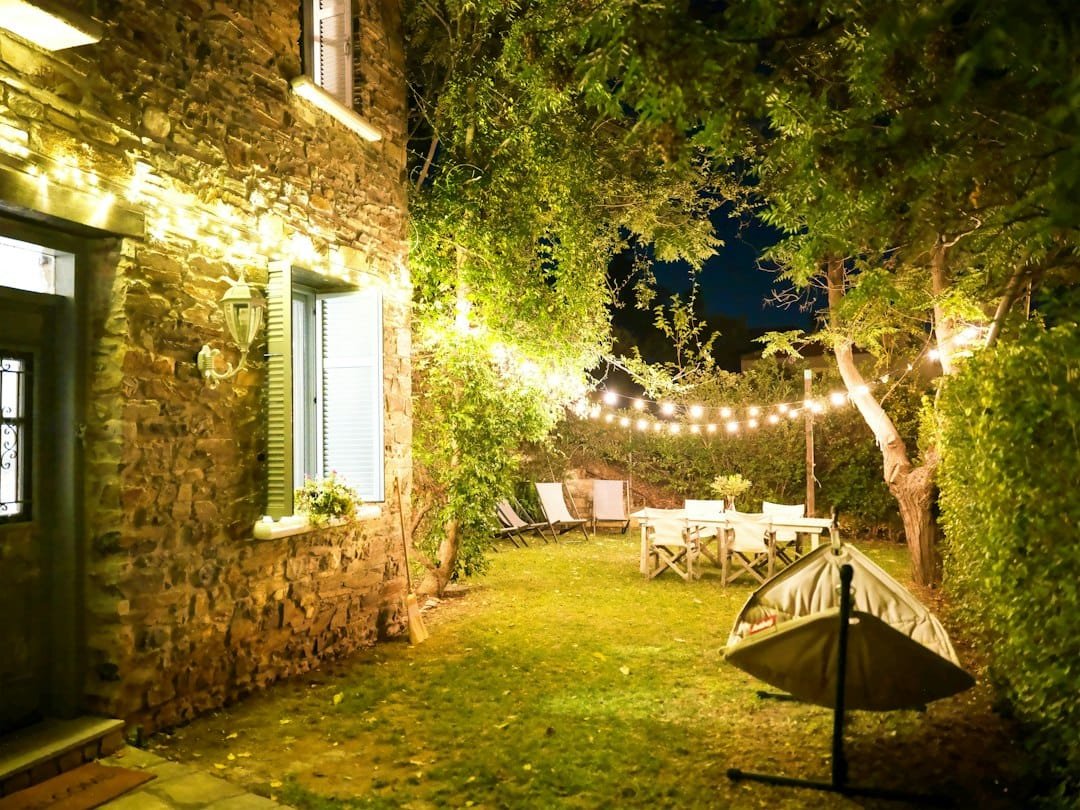
Quick answer: reliable outdoor smart lighting starts with the outdoor environment, not the app. Use fixtures, plugs, cables and controls that are rated for the exact location and load. Put line-voltage equipment on the protection required by its instructions and local rules, keep manual control available, and test what happens when Wi-Fi, the cloud service or power fails.
A schedule or motion sensor is the last layer. First make sure the lighting can live safely outside and still behave predictably.
Editorial scope: this guide is based on current manufacturer and standards documentation. It does not claim hands-on testing of every outdoor product mentioned. Product ratings are model-specific, so check the exact instructions before installation.
Outdoor smart lighting is three systems, not one
It helps to separate an outdoor lighting project into three layers:
- The lighting hardware: the luminaire, bulb, transformer, cable and connectors.
- The control hardware: a smart switch, outdoor plug, photocell, motion sensor or controller.
- The automation: sunset schedules, motion rules, scenes, timers and remote control.
A good automation cannot make indoor-rated hardware suitable for rain. Matter cannot make an overloaded plug safe. A weather-resistant smart plug cannot make the lamp, extension cord or connector on the other side weather-resistant.
Treat each layer as a separate compatibility check.
Start by classifying the location
Outdoor does not describe one environment. A covered porch, an exposed garden path and a low-voltage landscape system have different exposure and installation conditions.
UL Solutions distinguishes line-voltage outdoor luminaires, low-voltage landscape lighting and photovoltaic or battery-powered lighting. It notes that line-voltage outdoor luminaires are evaluated under UL 1598, including applicable wet-location requirements. Low-voltage landscape systems use different standards.
That distinction matters because a product can be suitable for one type of installation without being suitable for another.
Before buying, write down:
- whether the location is exposed to rain, sprinklers, snow or hose spray
- whether the outlet or connection is covered or fully exposed
- whether the lighting is line voltage, low voltage or self-contained solar
- whether the control will be outdoors or only the light itself
- the expected temperature range
- whether a cord connection will sit on the ground or near standing water
Weather resistance applies to every component
Do not stop at the fixture rating. Check the smart control, plug, power supply, transformer, cable, connectors and any extension cord used as part of the installation.
For example, Leviton’s current D215O outdoor smart plug is rated IP65 and is specified for an operating range of -20°F to 122°F. Lutron’s current Caséta outdoor smart plug is also documented as IP65 and intended for outdoor loads. Those ratings belong to those exact products, not to smart plugs in general.
If a product is not documented for the exposure it will receive, choose another product or move the control to a suitable protected location.
Wet-location language and IP ratings are related, but not interchangeable shortcuts
You may see terms such as wet location, damp location or an IP rating. They come from different rating systems and should be read in the context of the product instructions and local installation requirements.
UL notes that outdoor luminaires can be evaluated for wet-location requirements and that many products are also assessed for ingress protection against moisture and dust. An IP rating can help describe enclosure protection, but it does not replace the rest of the product’s installation requirements.
Do not assume that “IP65” answers questions about branch-circuit protection, mounting orientation, cord connections, load type or whether a fixture is suitable for a particular building location.
For plug-in outdoor controls, check circuit protection and the outlet
Outdoor plug-in controls are convenient because they avoid replacing a wall switch, but the outlet and circuit still matter.
Lutron’s current PD-15OUT installation guidance states that the outdoor smart plug must be connected to a GFCI-protected circuit and installed according to applicable electrical codes. Treat that as a product-specific requirement and a reminder to read the exact instructions for whatever control you use.
If you do not know whether the outdoor receptacle is properly protected or suitable for the installation, use a qualified electrician rather than guessing from the appearance of the outlet.
Match the control to the load, not just the plug shape
A smart outdoor plug can have different ratings for different load types.
Leviton’s current D215O specifications, for example, list 15 A general use, 5 A LED/CFL/electronic ballast, 1500 W incandescent/halogen, 12 A magnetic ballast and a 3/4 HP motor rating. Lutron publishes a different set of ratings for its own outdoor control.
Those numbers illustrate why the exact load category matters. They are not universal outdoor smart-plug limits.
Before connecting string lights, a landscape transformer, fountain pump, fan or decoration, compare the connected equipment with the control manufacturer’s supported load types and ratings.
Do not infer suitability for a motor, pump or transformer from a general current rating alone.
Use outdoor-rated cords and connections where the product permits them
If an extension cord is part of the setup, use one intended for outdoor service and sized for the actual load. Follow the smart control and connected-equipment instructions.
Lutron’s current PD-15OUT documentation, for example, permits extension cords on either side of that product and recommends a 14 AWG, 15 A exterior-rated cord. That is useful model-specific guidance, not a general instruction to put any outdoor smart plug on any extension cord.
Keep plug-and-socket connections out of standing water and arrange cords so they are not crushed, pinched, tripped over or exposed to damage from doors, vehicles, lawn equipment or pets.
Choose the control architecture before choosing the automation
There are several sensible ways to make outdoor lighting smart.
| Approach | Useful when | Main check |
|---|---|---|
| Outdoor smart plug | Existing plug-in string lights, decorations or compatible low-voltage transformer | Outdoor rating, outlet protection, load type and Wi-Fi or hub range |
| Hardwired smart switch | Permanent exterior fixtures already controlled from an indoor wall box | Exact wiring, load compatibility and installation permission |
| Smart outdoor fixture | You want the radio and lighting system designed as one product | Outdoor exposure rating, ecosystem support and replacement strategy |
| Outdoor sensor plus ordinary lighting control | You want occupancy or motion-based behavior without making every lamp smart | Sensor placement, false triggers and supported controller |
| Low-voltage landscape controller | Path, garden or accent lighting uses a dedicated low-voltage system | Transformer/controller compatibility and outdoor installation requirements |
If you are choosing between smart lamps and wall controls, see Smart Bulbs vs Smart Switches. If a hardwired dimmer is involved, use the Smart Dimmer Compatibility guide before buying.
A sunset schedule is often more reliable than an exact clock time
Outdoor lighting frequently needs to follow daylight rather than a fixed time.
Many current smart controls support sunrise or sunset schedules. Leviton’s D215O, for example, supports scheduled control based on sunrise and sunset and also has an optional built-in light sensor. Its product specification states that schedules are stored in onboard memory and can continue during a temporary internet outage.
That last detail is useful because it shows the right question to ask: where does the schedule actually run?
A schedule stored locally on the device or hub can behave differently during an internet outage from one that depends on a cloud service. Check the exact product rather than assuming all schedules are local.
Photocell, sunset schedule or motion sensor?
These controls solve different problems.
Sunset or sunrise schedule
Good for predictable evening lighting that should follow seasonal daylight changes. It is usually easier to understand than a complex motion rule.
Built-in light sensor or photocell
Useful when local ambient light matters more than calculated sunset. Placement matters because nearby fixtures, reflections or deep shade can affect the reading.
Motion sensor
Useful when the light should react to movement rather than stay on all evening. Outdoor motion can be affected by passersby, animals, vegetation and environmental conditions, so test the actual area before relying on the automation.
For a deeper sensor discussion, see Motion Sensor Automation Ideas.
Do not let a motion automation become the only way to get light
A porch, stair, gate or path light can have a safety function even when it is also automated.
Keep an understandable manual option. That might be a normal wall switch, a supported wireless companion, the physical button on an outdoor control or another documented override.
Leviton and Lutron both offer outdoor controls that retain physical or companion-control options. The exact mechanism varies by product, but the design principle is the same: someone should be able to get light without debugging the automation first.
Outdoor Wi-Fi range is not the same as indoor Wi-Fi range
An outdoor smart plug near a garage, patio or garden may sit at the edge of the home’s network. Exterior walls, masonry, metal doors and distance can weaken the path even when a phone appears to have some signal nearby.
Before making the installation permanent:
- temporarily place the control at the intended location
- pair it using the supported method
- test manual app control several times
- test the schedule or sensor behavior
- test after the door is closed and under normal household network use
- confirm what happens after the router or internet connection restarts
If the control is unreliable at the intended location, fix the network or choose a different control architecture. Do not weaken router security just to make one garden light connect.
Use Smart Home Wi-Fi Troubleshooting if discovery or network isolation becomes the real problem.
Do not use outdoor lighting as proof of security
Lighting can improve visibility and can make an entrance easier to use, but a light turning on does not prove that a person has been identified or that a security event has occurred.
A motion-triggered floodlight can respond to ordinary movement. A schedule can fail if power is lost. A smart platform can be unavailable. Treat lighting as one layer of the environment, not as a substitute for locks, alarms, cameras or emergency lighting requirements.
If the project is primarily about cameras or access, use the Security & Safety hub instead of asking a lighting automation to do a security system’s job.
Plan for power restoration
Outdoor lighting often sits unattended for long periods, so test what happens after a power interruption.
Questions to answer:
- Does the smart control reconnect automatically?
- Does the connected light return on or off?
- Does an onboard schedule remain stored?
- Does a cloud-based rule resume only after internet access returns?
- Will the light unexpectedly turn on during the day?
- Can someone operate it manually if the app is unavailable?
Document the result rather than assuming every firmware version behaves the same way.
Keep seasonal and temporary installations simple
Holiday lights and temporary patio lighting are common reasons to use an outdoor smart plug. The fact that the installation is temporary does not remove the outdoor-rating and load checks.
Keep connections protected as required by the equipment instructions, use suitable cords, avoid creating trip hazards and remove temporary wiring when the season or event is over.
If the lights are used only a few weeks each year, a simple sunset schedule and manual button may be more robust than a large automation with multiple dependencies.
Renter and shared-property checks
Plug-in outdoor controls can be easier to reverse than hardwired fixtures, but outdoor areas may still be shared property.
Before mounting sensors, drilling into exterior walls, replacing a porch fixture or routing cable across a common area, check the lease, building rules and landlord or property-manager requirements.
Keep the original hardware and record any approved change. The Renter Smart Home Installation & Move-Out Checklist can help with permissions, restoration and account handover.
A reliable outdoor-lighting checklist
| Check | What to verify |
|---|---|
| Exposure | Covered, damp, wet, sprinkler, snow or other expected conditions |
| Fixture | Suitable for the location and supply type |
| Smart control | Outdoor/environmental rating and permitted mounting orientation |
| Outlet / circuit | Protection and installation requirements in the product instructions |
| Load | Lighting, transformer, motor or other supported load type and rating |
| Cords | Outdoor suitability, capacity, routing and connection protection |
| Network | Reliable connection at the final location |
| Automation | Sunset, sensor or schedule behavior tested in the real environment |
| Manual control | An understandable way to operate the light without the app |
| Failure test | Behavior after internet loss, router restart and power restoration |
| Property permission | Approval for any exterior mounting or fixed-wiring change |
A good first outdoor project
Start with one existing outdoor light or one plug-in string-light circuit that already works safely without smart control.
Add one compatible control. Use a simple sunset schedule. Keep a manual override. Watch it for several evenings and test one internet or router interruption before adding motion sensors, scenes or more zones.
That approach gives you useful automation without turning the whole yard into a troubleshooting project.
Related WesternTechy guides and tools
- Smart Lighting hub
- Smart Bulbs vs Smart Switches
- Smart Dimmer Compatibility
- Budget Smart Lighting Setup
- Motion Sensor Automation Ideas
- Reliable Smart Home Automations
- Smart Home Planning Checklist & Worksheet
- Renter Smart Home Installation & Move-Out Checklist
Sources and editorial method
WesternTechy used current primary documentation to verify the outdoor-rating, load-control and automation examples in this guide.
- UL Solutions: Landscape and Outdoor Luminaire Lighting
- UL Solutions: Residential and Consumer Lighting
- Leviton: D215O Decora Smart Outdoor Plug-In Switch
- Lutron: Caséta Outdoor Smart Plug PD-15OUT
- Lutron: PD-15OUT installation and safety guidance
Ratings and instructions change by model, region and revision. Check the documentation supplied with the exact fixture, control, transformer and connected load before installation.