
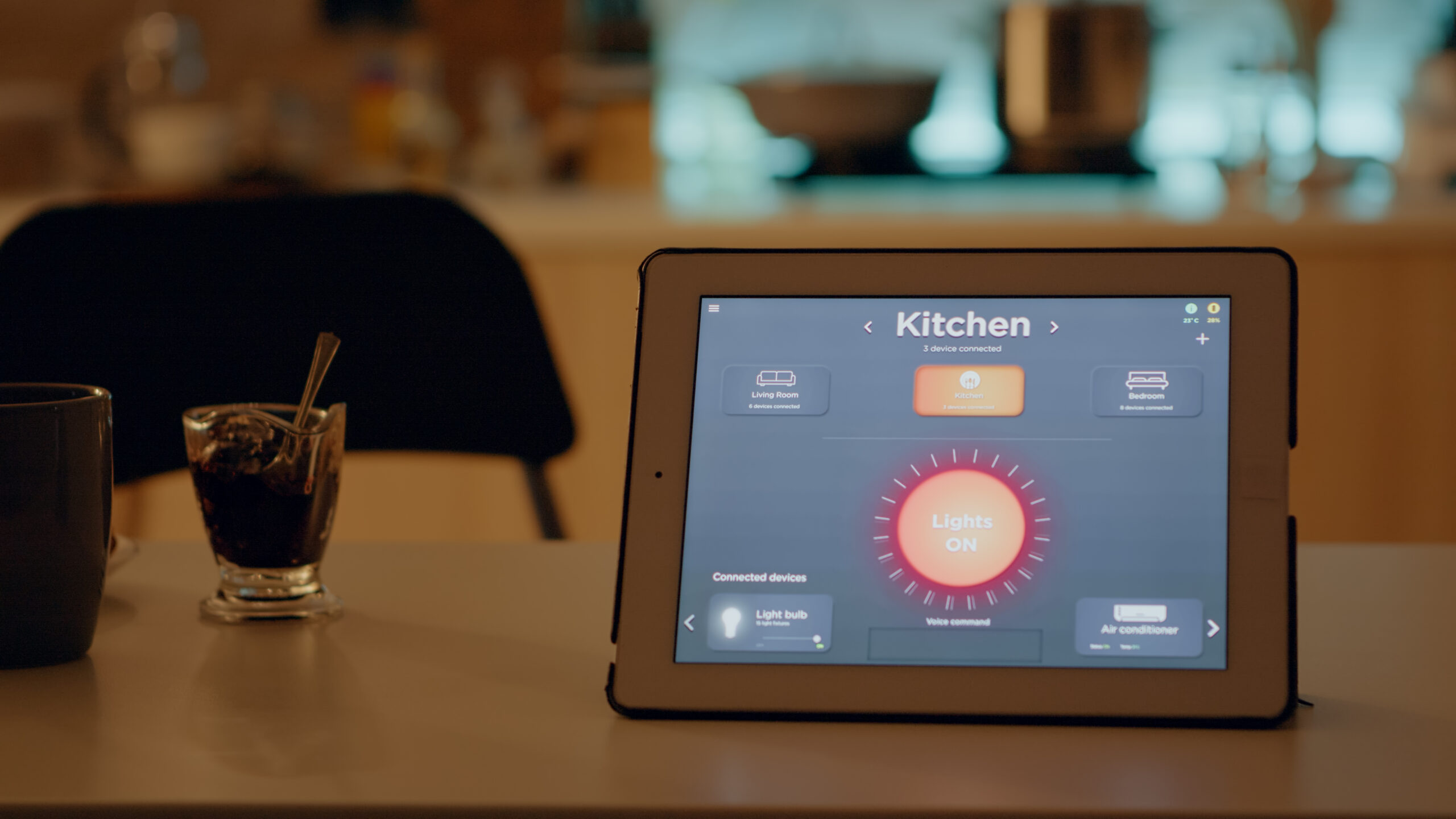
Quick picks: Home Assistant Green is the strongest choice if local ownership, privacy and integration depth matter most and you are comfortable adding radios as needed. Hubitat Elevation C-8 Pro is the best all-in-one local automation hub for Zigbee and Z-Wave. Aeotec Smart Home Hub is the easiest fit for a SmartThings household that wants Zigbee, Z-Wave, Matter and Thread in one box. Aqara Hub M3 is the best choice for a growing Aqara setup with Matter, Thread, Zigbee, PoE and local automations. Homey Pro 2026 is the broadest premium multi-radio controller, combining Zigbee, Z-Wave, Thread, Matter, 433 MHz, infrared and Bluetooth.
Research disclosure: this buying guide is based on current manufacturer specifications, support documentation and platform behavior checked in October 2026. WesternTechy has not hands-on tested every hub in this comparison. We do not score radio range, automation latency or long-term stability beyond what current documentation supports.
Important distinction: a smart-home hub is not just a box with several radios. The controller software, local-vs-cloud behavior, supported device drivers, backup process and ownership model matter as much as Zigbee, Z-Wave, Matter or Thread logos.
Best smart-home hubs and controllers in 2026
| Pick | Main protocols | Local control | Extra hardware | Best for |
|---|---|---|---|---|
| Home Assistant Green | LAN/Wi-Fi integrations; Zigbee/Thread and Z-Wave via optional adapters | Strong local-first architecture | Connect ZBT-2 for Zigbee/Thread; ZWA-2 or compatible adapter for Z-Wave | Privacy, local control, advanced integrations and long-term flexibility |
| Hubitat Elevation C-8 Pro | Zigbee 3.0, Z-Wave 800/LR, Matter, LAN, Wi-Fi, Bluetooth | Automations run locally | None for built-in Zigbee/Z-Wave | Local Zigbee/Z-Wave automation without building a Home Assistant server |
| Aeotec Smart Home Hub | Zigbee, Z-Wave, Matter, Thread, Wi-Fi | Some supported automations run locally | None for core radios | SmartThings users and broad mainstream compatibility |
| Aqara Hub M3 | Zigbee 3.0, Thread, Matter, Bluetooth, Wi-Fi, IR | Many Aqara automations can run locally | No extra radio hardware for supported Aqara/Thread use | Aqara-heavy homes, Matter bridging, PoE and IR control |
| Homey Pro 2026 | Zigbee, Z-Wave Plus 700, Thread, Matter, Bluetooth, 433 MHz, IR, Wi-Fi | Strong local processing | Ethernet adapter optional | Premium all-in-one protocol coverage and broad brand support |
The table is a controller-level comparison, not a guarantee that every device using a listed protocol will expose every feature. Device support still depends on drivers, Matter device types, manufacturer bridges and the exact platform integration.
Best overall for local ownership and flexibility: Home Assistant Green
Home Assistant Green is the easiest official hardware path into Home Assistant. It arrives with Home Assistant already installed, connects to the network over Gigabit Ethernet and keeps the main automation platform in the home.
The current Green hardware uses a 1.8 GHz quad-core ARM processor, 4 GB of RAM and 32 GB of eMMC storage. Home Assistant says the platform includes more than 1,000 built-in integrations and supports hundreds of thousands of devices and online services.
The important architectural point is that Green is the controller computer, not a box containing every smart-home radio.
Why choose Home Assistant Green
- Home Assistant comes preinstalled
- Strong local-first control and data ownership
- Large integration ecosystem
- Gigabit Ethernet
- 4 GB RAM and 32 GB eMMC
- Two USB ports for protocol adapters
- Works alongside Apple Home, Google Home, Alexa and SmartThings integrations
- No mandatory subscription for the core local platform
Zigbee and Thread need an adapter
Home Assistant Green does not contain a built-in Zigbee or Thread radio. Home Assistant currently recommends its Connect ZBT-2 adapter for Zigbee or Thread support.
Z-Wave also requires separate radio hardware such as Home Assistant Connect ZWA-2 or another supported Z-Wave adapter.
That modular design is a strength if you want to choose and replace radios independently, but it means Green is not an all-in-one radio hub out of the box.
Why local control matters
Home Assistant stores and processes the core smart-home configuration locally. That gives the household more control over automations and data, and many local integrations continue working when the internet is unavailable.
Cloud-connected devices still depend on their own cloud services. Running Home Assistant locally does not magically make every cloud-only product local.
Who should not choose Green
If you want a controller that is almost entirely configured through a simplified consumer app and you do not want to think about integrations, radios, backups or maintenance, SmartThings or Aqara may be easier.
Home Assistant is far more approachable than it used to be, but its flexibility also means the owner is responsible for more of the system.
Manufacturer sources: Home Assistant Green and Home Assistant hardware.
Best local Zigbee and Z-Wave hub: Hubitat Elevation C-8 Pro
Hubitat C-8 Pro is the strongest recommendation here when local automation, Zigbee and Z-Wave are the core requirements but you do not want to assemble a Home Assistant system.
The current North American C-8 Pro has built-in Zigbee 3.0 and an 800-series Z-Wave radio with Z-Wave Long Range support. Hubitat also lists Matter controller support, Wi-Fi, Ethernet, Bluetooth and external antennas for its Zigbee and Z-Wave radios.
Hubitat says automations execute locally on the hub rather than depending on the cloud for normal automation processing.
Why choose Hubitat C-8 Pro
- Built-in Zigbee 3.0
- Built-in Z-Wave 800-series radio
- Z-Wave Long Range
- Matter controller support
- Local automation processing
- Wi-Fi and Ethernet
- External Zigbee and Z-Wave antennas
- Strong rule-building and automation flexibility
Why it is different from Home Assistant
Home Assistant is a broad home-automation software platform that can run on several kinds of hardware and expand through adapters and integrations.
Hubitat is a dedicated automation appliance with its key Zigbee and Z-Wave radios built in.
If the household is mainly Zigbee, Z-Wave and local automations, Hubitat can be simpler to reason about because the radios, controller and automation engine arrive together.
Matter is not the same as built-in Thread
Hubitat documents Matter controller support on the C-8 Pro. Do not assume that automatically means the hub is a Thread Border Router.
Matter can run over Wi-Fi, Ethernet or Thread. Matter-over-Thread devices need a compatible Thread Border Router somewhere on the network.
Check the exact Matter and Thread architecture of your home before buying a controller around the Matter logo alone.
Manufacturer source: Hubitat Elevation C-8 Pro North America.
Best mainstream SmartThings hub: Aeotec Smart Home Hub
Aeotec Smart Home Hub is the easiest recommendation for someone who wants the SmartThings platform plus physical Zigbee and Z-Wave radios.
Aeotec’s current documentation lists Zigbee, Z-Wave, Matter, Thread and Wi-Fi support. The hub can act as a Thread Border Router and connects to the SmartThings platform for device setup, routines and remote control.
Aeotec says the hub supports up to 100 Zigbee certified devices and up to 100 Z-Wave devices.
Why choose Aeotec Smart Home Hub
- SmartThings platform
- Zigbee support
- Z-Wave with S2 security
- Matter support
- Thread Border Router capability
- Wi-Fi network connection
- Large mainstream device ecosystem
- Alexa and Google Home integration through SmartThings
Local and cloud behavior are mixed
Aeotec says some supported automations can run locally, but SmartThings still uses internet connectivity for app access, remote control, cloud services and updates.
That makes Aeotec different from a system whose design goal is to keep as much automation and administration as possible inside the home.
For many households, that trade-off is worthwhile because SmartThings is easier to operate than a more self-managed platform.
Best fit
Choose Aeotec if you want a mainstream app, broad device compatibility and built-in radios without spending time building a local automation server.
If local ownership and offline administration are the top priorities, Home Assistant or Hubitat is a better starting point.
Manufacturer source: Aeotec Smart Home Hub.
Best Aqara and Matter bridge: Aqara Hub M3
Aqara Hub M3 is the strongest choice for a home that already uses Aqara Zigbee devices or plans to build heavily around the Aqara ecosystem.
The M3 supports Zigbee 3.0, Thread, Matter, Bluetooth 5.1 and dual-band Wi-Fi. It also includes a PoE-capable Ethernet connection and a built-in infrared blaster.
Aqara positions the M3 as both a Matter Controller and a Matter bridge. Supported Aqara Zigbee devices can be exposed into compatible Matter ecosystems such as Apple Home.
Why choose Aqara Hub M3
- Zigbee 3.0
- Thread
- Matter Controller and bridge functions
- Dual-band Wi-Fi
- Power over Ethernet
- Bluetooth 5.1
- Built-in IR blaster
- Local automation emphasis
- Strong fit with Aqara sensors, locks, switches and cameras
PoE is unusually useful for a smart-home hub
Power over Ethernet can simplify placement because one network cable can provide both data and power when the network infrastructure supports PoE.
That can be useful when the best radio location is not beside a convenient power outlet, or when the hub belongs in a structured network location with battery-backed PoE.
Aqara-specific strength is also the limitation
The M3 is most compelling when a significant part of the home is already Aqara.
Aqara says third-party Matter device support is available, but compatibility and available device types should still be checked before assuming the M3 replaces a broader controller such as Home Assistant or Homey.
Likewise, not every older Aqara Zigbee device can necessarily be exposed through Matter with every feature.
Manufacturer sources: Aqara Hub M3 and Aqara Hub M3 specifications.
Best premium all-in-one protocol hub: Homey Pro 2026
Homey Pro 2026 has the broadest built-in protocol coverage in this comparison.
The current 2026 model has 4 GB of RAM and supports Zigbee, Z-Wave Plus 700, Thread, Matter, Bluetooth LE, 433 MHz, infrared and dual-band Wi-Fi. An Ethernet adapter is available for wired networking.
Homey’s current documentation lists Matter 1.5 controller certification and support for Matter-over-Wi-Fi and Matter-over-Thread devices.
Why choose Homey Pro 2026
- Zigbee built in
- Z-Wave Plus 700 built in
- Thread Border Router
- Matter 1.5 controller
- Bluetooth LE
- 433 MHz radio
- Infrared transmitter
- Local automation processing
- Advanced Flow automation system
- 4 GB RAM in the 2026 model
The appeal is consolidation
A Homey Pro can replace several separate protocol bridges in some homes because one controller contains radios that usually live in separate boxes.
That does not mean every proprietary device works without its original bridge. Device support still depends on Homey apps, drivers and manufacturer restrictions.
Thread behavior deserves attention
Homey Pro creates and uses its own Thread network for Matter-over-Thread devices when those devices are paired directly through Homey.
Homey’s current support documentation also notes that Zigbee and Thread share radio hardware on Homey Pro, which creates some platform-specific behavior around Thread network management.
That is not necessarily a problem, but it is a reason to understand the existing Thread network before moving devices between Apple, Google, Homey and other ecosystems.
Long-term support is unusually explicit
Homey’s current comparison documentation states software support for the 2023-2026 Pro platform until at least June 2031.
A published support horizon is useful when comparing a controller expected to remain in the home for years.
Manufacturer sources: Homey Pro model comparison, Homey Matter guidance, and Homey Pro firmware changelog.
Which hub is best for Matter?
Matter support alone is too broad a filter.
Ask two separate questions:
- Can the controller commission and control the Matter device type I need?
- If the device uses Thread, where is the Thread Border Router?
Aeotec Smart Home Hub, Aqara M3 and Homey Pro include Thread capability in their current platform architecture.
Home Assistant can add Thread through supported radio hardware such as Connect ZBT-2.
Hubitat supports Matter as a controller, while Thread infrastructure may come from another compatible border router on the network.
Read the Smart Home Compatibility Matrix before assuming two devices with Matter logos will expose identical functions through every controller.
Which hub is best for Zigbee?
Hubitat, Aeotec, Aqara M3 and Homey Pro all include Zigbee radios.
Home Assistant Green needs an external Zigbee radio such as Connect ZBT-2.
The better choice depends on device ecosystem:
- Aqara M3: strongest when the Zigbee devices are mainly Aqara
- Hubitat: strong for mixed-brand Zigbee plus local automations
- Aeotec/SmartThings: strong mainstream compatibility and simpler app workflow
- Homey Pro: broad protocol consolidation
- Home Assistant: widest software flexibility when you are comfortable managing integrations
Which hub is best for Z-Wave?
Hubitat C-8 Pro is the strongest dedicated Z-Wave choice here because it includes an 800-series radio, Z-Wave Long Range and external antennas.
Aeotec Smart Home Hub includes Z-Wave and fits users who prefer SmartThings.
Homey Pro 2026 uses Z-Wave Plus 700.
Home Assistant Green can support Z-Wave with an external radio such as Home Assistant Connect ZWA-2.
Aqara M3 does not include Z-Wave, so it is not the right controller if existing Z-Wave devices are an important part of the home.
Which hub is best for local control?
Home Assistant and Hubitat are the strongest local-first choices in this group.
Homey Pro also performs substantial control and automation locally.
Aqara M3 emphasizes edge/local automation for supported Aqara behavior, while some services such as push notifications and location-dependent automations still use cloud functions.
SmartThings through Aeotec supports local execution for some supported automations, but cloud connectivity remains more central to the platform experience.
Local control is not binary. A system can run one light automation locally while still depending on a vendor cloud for a camera, voice assistant or account service.
Do you need a dedicated hub at all?
Not every smart home needs one.
A small apartment with a few Matter-over-Wi-Fi plugs, bulbs and a voice assistant may work well without a dedicated multi-protocol hub.
A hub becomes more valuable when you need:
- Zigbee or Z-Wave devices
- complex multi-device automations
- local fallback behavior
- one place to manage devices from multiple brands
- local dashboards and histories
- more predictable ownership and backup
Do not buy a hub because “serious smart homes have hubs.” Buy one when it solves a real protocol, automation or ownership problem.
Thread Border Router versus Matter Controller
These terms are often confused.
A Matter Controller commissions and controls Matter devices.
A Thread Border Router connects a Thread mesh to the rest of the IP network.
A device can perform both roles, one role, or neither.
For Matter-over-Thread devices, the household needs both functions somewhere in the system. They do not always have to be in the same physical box.
Bridge versus controller
A bridge exposes devices from one ecosystem or protocol into another platform.
For example, Aqara M3 can bridge supported Aqara Zigbee devices into Matter ecosystems.
A general controller such as Home Assistant, Hubitat or Homey may directly manage devices from several protocols and brands.
Bridging can be useful, but bridged devices may expose fewer features than they do in the manufacturer’s own app.
Network reliability matters more as the hub becomes central
The more automations depend on one controller, the more important its network connection, power and backup become.
Prefer wired Ethernet when the controller supports it and the placement is practical.
If the hub uses Wi-Fi, make sure it has reliable coverage and does not depend on an isolated guest network that blocks local discovery.
Use the Smart Home Network Readiness Checklist before moving dozens of devices onto a new controller.
Plan the migration before replacing an existing hub
Changing controllers is rarely as simple as signing into a new app.
Zigbee and Z-Wave devices may need to be removed or reset from the old network and paired to the new one. Matter devices can sometimes be shared through multi-admin rather than fully reset, depending on the platform and device.
Before migration:
- inventory every device
- record automations
- record device names and room assignments
- back up the current controller where supported
- identify battery devices that may be difficult to wake or re-pair
- migrate in small groups
- test critical locks, climate and safety automations before removing the old hub
Use the Device Inventory & Account Transfer Tracker to record controller ownership and migration state.
What we would choose for different homes
| Situation | Shortlist | Why |
|---|---|---|
| Local-first and maximum flexibility | Home Assistant Green | Local platform, huge integration ecosystem and modular radios |
| Zigbee + Z-Wave local automation | Hubitat C-8 Pro | Built-in radios, Z-Wave 800/LR and local rules |
| SmartThings household | Aeotec Smart Home Hub | Mainstream app plus Zigbee, Z-Wave, Matter and Thread |
| Aqara-heavy home | Aqara Hub M3 | Zigbee, Thread, Matter bridge/controller, PoE and Aqara local automations |
| Broadest built-in protocol coverage | Homey Pro 2026 | Zigbee, Z-Wave, Thread, Matter, 433 MHz, IR and Bluetooth in one controller |
| Small Wi-Fi/Matter apartment | Possibly no dedicated hub | Do not add infrastructure unless it solves an actual control or protocol need |
Before you buy: hub checklist
- List the protocols you already own. Zigbee, Z-Wave, Matter, Thread, Wi-Fi and proprietary bridges.
- Separate Matter Controller from Thread Border Router needs.
- Decide how much local control matters. Include internet-outage behavior and cloud dependencies.
- Check device drivers, not just radio logos. A radio does not guarantee full device support.
- Plan networking. Prefer stable Ethernet where practical.
- Plan backups and recovery. The hub becomes a critical home service.
- Check migration effort. Existing Zigbee and Z-Wave networks may require re-pairing.
- Think about ownership. Know who controls the administrator account and what happens at move-out or handover.
Related WesternTechy guides and resources
- Networks, Standards & Reliability hub
- Automation & Control hub
- Local & Self-Hosted Smart Home
- How to Install a Z-Wave Hub
- Smart Home Wi-Fi Troubleshooting
- Smart Home Compatibility Matrix
- Smart Home Network Readiness Checklist
Sources and editorial method
WesternTechy used current manufacturer hardware pages, technical documentation and support pages for protocol and controller claims. Prices are not used as the primary ranking factor because retail pricing and bundles change.
- Home Assistant Green
- Home Assistant hardware
- Hubitat Elevation C-8 Pro North America
- Aeotec Smart Home Hub
- Aqara Hub M3
- Homey Pro models compared
- Homey Matter support
Protocol support, device drivers, Matter device types and firmware capabilities can change. Verify the exact controller and current compatibility documentation before migrating an existing smart home.