
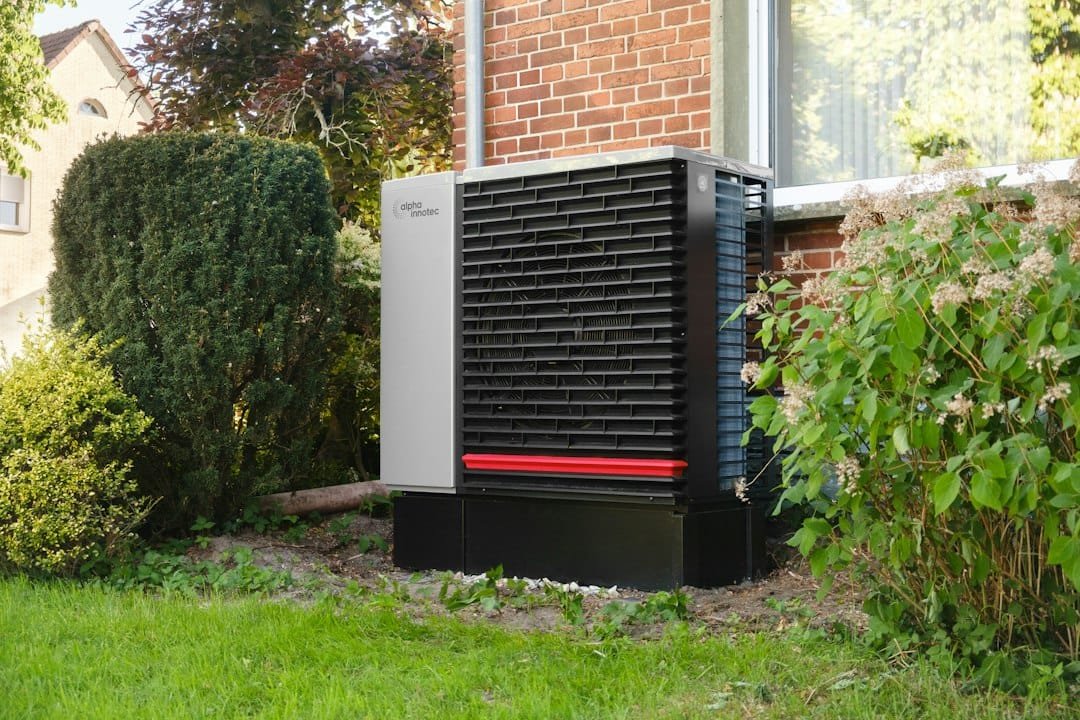
Quick answer: a smart thermostat can control a heat pump efficiently only when it knows what equipment is actually connected and when the heat pump or backup heat should be allowed to run. Auxiliary heat, compressor lockouts, balance points and emergency heat are related, but they are not interchangeable settings.
For most homes, the safest starting point is the thermostat manufacturer’s automatic heat-pump staging or balance feature. Manual thresholds can be useful, but only when they match the heat pump, backup heat and installer documentation. A generic internet recommendation such as “lock out AUX below 35°F” or “never use backup heat above 30°F” can be wrong for a modern cold-climate heat pump, a dual-fuel system or a system with different equipment limits.
Editorial scope: this is research-based HVAC control guidance, not a replacement for the equipment manual or a commissioning calculation. WesternTechy checked current U.S. Department of Energy guidance plus Google Nest, ecobee and Sensi support documentation. Refrigerant work, line-voltage heat strips, furnace configuration and uncertain thermostat wiring belong with a qualified HVAC professional.
First, separate the four terms people mix together
| Term | What it usually means | Who normally controls it |
|---|---|---|
| Auxiliary heat (AUX) | A second heat source that helps the heat pump when the load is high, recovery is slow or the system needs help during certain operating conditions. | The thermostat or equipment controls automatically. |
| Compressor lockout | An outdoor-temperature or equipment limit below which the thermostat stops requesting the heat-pump compressor. | Thermostat, communicating equipment or installer configuration. |
| Balance point / switchover point | A temperature or control threshold used to decide when the heat pump, auxiliary source or both should operate. The exact meaning varies by controller. | Automatic algorithm or installer-configured threshold. |
| Emergency heat | A manually selected backup-heating mode used when the normal heat-pump heating path cannot be used. | The user selects it deliberately where the system supports it. |
The labels on a thermostat can look simple, but the equipment behind them may be very different.
What auxiliary heat actually is
A heat pump moves heat rather than creating all of its heat with electrical resistance. As outdoor conditions become more demanding, some systems use a second heat source to help maintain the indoor setpoint.
That backup source might be:
- electric resistance heat strips in the air handler
- a gas furnace in a dual-fuel system
- an oil or propane furnace
- another manufacturer-specific backup heat source
The thermostat has to know which one it is controlling.
That matters because electric resistance backup and fossil-fuel backup do not necessarily use the same staging logic.
AUX heat is not automatically a problem
Seeing AUX on a thermostat does not by itself mean something is broken.
Auxiliary heat can be used when:
- the heat pump cannot satisfy the current heating load quickly enough
- the outdoor temperature is low enough that additional heat is needed
- the thermostat is recovering from a large setpoint change
- the outdoor unit is in a defrost cycle and the indoor system needs to temper the air
- the controller’s configured staging logic calls for backup heat
The concern is unnecessary or excessive auxiliary heat.
Google’s current Nest Heat Pump Balance documentation notes that electric AUX heat can cost roughly two to five times as much to run as the heat pump itself. That does not mean every backup system has that exact cost relationship, especially in dual-fuel homes, but it explains why smart thermostats try to avoid unnecessary electric resistance heat.
Emergency heat is different from AUX heat
Emergency heat is normally a manual mode.
Google’s Nest documentation makes the distinction clearly: auxiliary heat can be used automatically as the thermostat manages the heat pump, while Emergency Heat is manually selected on systems that support it.
Emergency heat is typically intended for a situation where the normal heat-pump heating path cannot be used or cannot keep the home safe and comfortable while service is arranged.
It is not a “make the house warm faster” button.
If you routinely need Emergency Heat for normal winter operation, that deserves investigation. Google recommends having the system checked if Emergency Heat is needed frequently.
What happens when Emergency Heat is selected?
The exact behavior depends on the equipment and thermostat.
On many systems, Emergency Heat stops normal compressor heating and relies on the configured backup heat source. That can be much more expensive when the backup is electric resistance.
Do not assume your thermostat’s Emergency Heat behaves exactly like another brand’s.
Before using it, know:
- what the backup heat source is
- whether the heat-pump compressor is disabled in that mode
- how the manufacturer says to return to normal operation
- whether the mode is intended only for equipment failure or also for specific extreme-weather conditions
What is a heat-pump balance point?
In building science, a heating balance point can describe the outdoor condition at which the heat pump’s available heating capacity and the building’s heating load meet.
Below that point, the building may need more heat than the heat pump alone can deliver at that operating condition.
Thermostat manufacturers also use terms such as balance point, lockout, breakpoint and switchover temperature for control decisions.
Those labels are not always defined identically.
For example, Sensi currently distinguishes:
- Aux Lockout: above this outdoor temperature, auxiliary heat is locked out and the heat pump is used.
- Balance Point: below this outdoor temperature, the heat pump is locked out and auxiliary heat is used.
Between those two thresholds, the thermostat can use its normal staging logic.
Other thermostats expose different combinations of automatic and manual controls.
Compressor minimum outdoor temperature
Some smart thermostats expose a setting such as Compressor Min Outdoor Temperature.
ecobee describes this as the lowest outdoor temperature at which the thermostat is allowed to request the heat-pump compressor. Below that threshold, the compressor is disabled.
This setting can exist for two reasons:
- the equipment manufacturer specifies a lower operating limit
- the system is intentionally configured to switch to another heat source below a certain outdoor condition
Do not set this threshold from a generic online chart.
Modern cold-climate heat pumps can operate at outdoor temperatures where older equipment would have been locked out. A threshold that made sense for one system can unnecessarily disable another efficient heat pump.
Auxiliary heat maximum outdoor temperature
Some thermostats expose the opposite boundary: an outdoor temperature above which auxiliary heat is not allowed to run.
ecobee calls this Aux Heat Max Outdoor Temperature. Sensi uses Aux Lockout language.
The purpose is to prevent expensive or unnecessary backup heat when the heat pump should be able to carry the load.
Again, the correct value is equipment-specific.
A thermostat that locks out electric strips too aggressively can leave a home unable to recover under a legitimate high load. A thermostat that permits them too freely can turn a heat pump into an expensive resistance-heating system during ordinary weather.
Nest Heat Pump Balance uses an automatic approach
Google Nest provides a feature called Heat Pump Balance for compatible heat-pump systems with auxiliary heat.
Instead of asking the homeowner to choose a single manual AUX lockout temperature, Nest offers comfort/savings preferences such as:
- Max Comfort
- Balanced
- Max Savings
Nest then adjusts how aggressively auxiliary heat is used based on system behavior and the selected preference.
On compatible Nest Learning Thermostat 4th gen setups, Google also exposes advanced controls such as an AUX upstage timer, temperature droop and minimum delay.
The important point is that the thermostat is making a staging decision rather than treating outdoor temperature as the only signal.
Heat Pump Balance is not for every dual-fuel system
Google states that Nest Heat Pump Balance is for heat pumps with auxiliary heat and is not used the same way for a dual-fuel system with a separate alternate heater.
Dual-fuel control is more sensitive because the backup source may be a gas, oil or propane furnace rather than electric heat strips.
Depending on the equipment arrangement, the heat pump and furnace may not be intended to operate simultaneously.
Do not change a thermostat from “dual fuel” to a generic heat-pump-plus-AUX configuration simply to expose additional settings.
ecobee automatic staging versus manual thresholds
ecobee currently defaults many systems to automatic staging.
For a heat pump with auxiliary heat, its automatic mode includes an Aux Savings Optimization preference that lets the user favor savings, comfort or a balance between them.
Manual staging exposes more granular settings, including:
- Compressor Min Outdoor Temperature
- Aux Heat Max Outdoor Temperature
- Compressor to Aux Temperature Delta
- Compressor to Aux Runtime
- minimum compressor off time
- auxiliary-heat minimum runtime
- reverse-staging behavior on supported configurations
More settings do not automatically produce a better system.
ecobee itself warns users who are unfamiliar with their HVAC equipment to get assistance before changing advanced thresholds.
Sensi can use internet weather or a local outdoor sensor
On supported Sensi configurations, AUX lockout and balance-point logic can use internet-based weather information or a compatible outdoor sensor.
This raises a useful question for any smart thermostat: where does the outdoor temperature come from?
Possible sources include:
- internet weather data based on location
- a physical outdoor sensor
- equipment-provided outdoor temperature
- a manufacturer-specific control bus
A weather-station temperature several miles away is not always identical to the temperature at the outdoor unit.
Sensi also documents fallback behavior when it cannot update internet weather data: some AUX heat settings are temporarily disabled and the thermostat falls back to system-performance logic.
Do not confuse a thermostat threshold with the equipment’s hard limit
A thermostat may let you configure a compressor lockout, but the heat pump can also have its own manufacturer-defined operating envelope and protective controls.
The equipment’s safety limits win.
A thermostat setting should not be used to force the compressor to operate outside what the heat-pump manufacturer allows.
If a communicating heat-pump system uses proprietary controls between the thermostat, indoor unit and outdoor unit, replacing that controller with a generic smart thermostat may also remove manufacturer-specific modulation or protection features.
Check the equipment documentation before replacing a communicating thermostat.
Large thermostat setbacks can trigger expensive backup heat
The U.S. Department of Energy warns against manually setting back a heat-pump thermostat in a way that causes backup electric resistance heat to come on during recovery.
The problem is not the idea of a lower setpoint itself.
The problem is asking the home to recover several degrees quickly and causing the thermostat to decide that the heat pump needs help from electric resistance heat.
Heat-pump-aware thermostats can use adaptive or gradual recovery to reduce that problem.
A better way to think about setbacks
Instead of asking “How many degrees should I set back?”, ask:
- Does my thermostat have heat-pump-aware recovery?
- Does recovery routinely call AUX heat?
- Is the backup source electric resistance or another fuel?
- How long will the home be at the lower setpoint?
- What does the equipment manufacturer recommend?
A small, gradual change can behave very differently from a large morning recovery.
Why AUX heat may appear during defrost
An air-source heat pump can accumulate frost on the outdoor coil in cold, humid weather.
During a defrost cycle, the system temporarily changes operation to warm the outdoor coil and remove frost.
Some systems energize auxiliary heat during defrost so the indoor air does not become uncomfortably cold.
A brief AUX indication during a defrost cycle can therefore be normal.
A heat pump that remains covered in ice, repeatedly enters defrost without clearing the coil, or cannot maintain temperature should be inspected rather than “fixed” with thermostat thresholds.
Electric resistance backup and dual fuel have different economics
Electric resistance heat converts electricity directly to heat. It can deliver heat quickly, but it does not get the heat-multiplying benefit of a heat pump.
A dual-fuel system uses a second fuel source, often a gas furnace, for backup.
Which source is cheaper at a particular outdoor temperature depends on:
- heat-pump efficiency at that condition
- electricity price
- gas, propane or oil price
- furnace efficiency
- building heating load
- equipment capacity
That is why a universal switchover temperature is not responsible advice.
Do not automate Emergency Heat from a generic smart-home routine
A Home Assistant, Alexa, Google Home or other automation can be useful for monitoring HVAC state, but the thermostat and HVAC controls should remain responsible for equipment protection and normal staging.
Avoid creating a generic automation such as:
“If outdoor temperature is below 25°F, turn on Emergency Heat.”
That rule does not know whether:
- the heat pump is a cold-climate model that should continue running
- the outdoor-temperature source is accurate
- the backup source is electric or fossil fuel
- the equipment can run both heat sources together
- the system is currently defrosting
- the installer has configured a communicating control strategy
Use smart-home automations to observe, alert and coordinate around HVAC where appropriate. Leave core staging and safety logic to the thermostat/equipment controls unless a qualified design specifically says otherwise.
Useful monitoring automations that do not take over HVAC staging
Safer smart-home ideas include:
- notify if AUX heat runs for unusually long during mild weather
- notify if Emergency Heat is left on after a service event
- log heat-pump versus auxiliary runtime for energy analysis
- alert when the home temperature continues falling during a heating call
- compare outdoor temperature with AUX runtime to spot a changing pattern
Those are observation tools. They do not replace the equipment’s own control logic.
How to tell whether your backup heat is electric or dual fuel
Do not guess from the thermostat screen.
Useful clues include:
- equipment model numbers
- air-handler documentation
- a furnace gas line or fuel connection
- electrical breakers labeled for heat strips
- thermostat equipment configuration
- installer documentation
If you cannot identify the backup source confidently, ask an HVAC professional before changing staging thresholds.
Check the thermostat wiring, but do not identify equipment by wire color alone
Heat-pump thermostat terminals often include labels such as:
- Y / Y1 / Y2 for compressor stages
- O/B for the reversing valve
- W / W1 / W2 / AUX for backup heat
- E for emergency heat on some systems
- R / Rc and C for 24V power
Terminal labels and equipment behavior matter more than wire color.
Do not move wires because a generic diagram uses a different color scheme.
Use the Smart Thermostat Compatibility & Safe Setup Guide before replacing the thermostat itself.
A practical setup sequence
- Identify the heat pump. Record the outdoor and indoor equipment model numbers.
- Identify the backup heat. Electric resistance, furnace or another source.
- Confirm thermostat compatibility. Include staging, O/B behavior, AUX/E terminals and communicating-system requirements.
- Use automatic staging first. Keep the manufacturer’s defaults unless there is a documented reason to change them.
- Record the current thresholds. Take photos before changing installer settings.
- Observe normal operation. Note outdoor temperature, heat-pump runtime and AUX use.
- Change one variable at a time. Do not simultaneously change lockout, recovery, staging and setbacks.
- Recheck comfort and energy use. A lower AUX runtime is not a success if the home cannot maintain temperature.
When manual thresholds can make sense
Manual settings can be appropriate when:
- the equipment manufacturer provides a specific operating limit
- an HVAC contractor has calculated or commissioned a dual-fuel switchover point
- you have reliable outdoor-temperature data
- you understand the backup source and staging sequence
- you are tuning a known system rather than guessing
Write the original values down before changing anything.
When to leave automatic staging alone
Keep automatic staging if:
- the system maintains comfort normally
- AUX heat use is reasonable for the weather
- you do not know the equipment’s low-temperature limits
- the thermostat is part of a communicating HVAC system
- you cannot identify the backup heat source
- you are renting and do not own the HVAC equipment
Automatic does not mean perfect, but it is usually safer than unexplained manual thresholds.
Renters should not re-commission landlord-owned HVAC equipment
A renter can reasonably adjust ordinary temperature schedules and user-facing thermostat preferences where the lease allows it.
Installer thresholds are different.
Changing compressor lockouts, auxiliary-heat behavior, equipment type or O/B configuration can alter how landlord-owned HVAC equipment operates.
Get property-owner or maintenance approval before changing those settings.
Use the Smart Homes for Renters & Apartments pathway for the broader permission and move-out context.
Signs the problem is not a thermostat setting
Call for HVAC service when you see symptoms such as:
- the home cannot maintain temperature under conditions where it previously could
- Emergency Heat is needed regularly
- the outdoor unit is heavily iced and does not clear during normal defrost
- the compressor repeatedly starts and stops abnormally
- AUX runs extensively during mild weather with no large recovery demand
- the thermostat reports a heating call but airflow or delivered heat is abnormal
- breakers trip
- you smell burning or see damaged wiring
Do not use a lower lockout threshold to force damaged equipment to keep running.
A simple decision table
| What you see | What it may mean | What to do first |
|---|---|---|
| AUX appears briefly in very cold weather | Normal supplemental heating may be occurring | Observe runtime and system performance before changing settings |
| AUX appears during a large morning recovery | The setback/recovery strategy may be calling backup heat | Check adaptive recovery and reduce unnecessary large setbacks |
| AUX runs frequently in mild weather | Threshold, staging, sensor or equipment problem may exist | Check configuration and seek service if behavior is abnormal |
| Emergency Heat is on | Manual backup mode was selected | Confirm why it was enabled and return to normal mode when appropriate |
| Heat pump stops below a specific outdoor temperature | A compressor minimum-temperature threshold or equipment limit may be active | Compare the thermostat setting with the equipment manual |
| Home cannot recover without AUX | Backup heat may be legitimately required, or the system may need service | Do not disable AUX blindly; evaluate load, weather and equipment condition |
Heat-pump thermostat checklist
- ☐ Heat-pump model and indoor-unit model recorded
- ☐ Backup heat source identified
- ☐ Thermostat confirmed compatible with the exact staging
- ☐ O/B and AUX/E configuration verified from manufacturer documentation
- ☐ Original installer thresholds recorded before any changes
- ☐ Automatic staging considered before manual thresholds
- ☐ Outdoor-temperature source understood
- ☐ Large setbacks checked for unnecessary AUX recovery
- ☐ Defrost-related AUX behavior distinguished from abnormal continuous AUX
- ☐ Emergency Heat reserved for its intended use
- ☐ Renter or property-owner permission obtained before installer-setting changes
- ☐ Abnormal system behavior referred to HVAC service rather than hidden with thermostat settings
Related WesternTechy Guides
- Best Smart Thermostats in 2026
- Smart Thermostat Compatibility & Safe Setup
- Smart Thermostat Room Sensors
- Smart Home Climate & Comfort
- Smart Home Energy & Cost
- Smart Thermostat Utility Programs
Sources and editorial method
- U.S. Department of Energy: Energy Saver Guide, heat-pump operation guidance
- Google Nest: Heat Pump Balance
- Google Nest: Emergency Heat for heat-pump systems
- ecobee: Threshold settings for ecobee thermostats
- Sensi: Auxiliary heat settings
- Sensi: Auxiliary heat and outdoor weather source
Thermostat menus, default thresholds and equipment support can change. Check the current thermostat documentation and the heat-pump manufacturer’s operating limits for the exact system before changing advanced settings.