
A smart-home air sensor is useful when it answers a specific question: is the bathroom staying damp after a shower, does a bedroom get stuffy at night, or does particle pollution rise during cooking? A single “air quality score” cannot tell you all three. Temperature, relative humidity, carbon dioxide, airborne particles and volatile organic compounds are different measurements, with different limitations and responses.
This documentation-based Guide helps renters and homeowners choose the right measurement, place a sensor, collect a baseline, and create a low-risk reminder or automation. It does not claim WesternTechy lab-tested a specific monitor or that a consumer reading is a medical diagnosis, safety certification or regulatory measurement. Check the actual model, sensor specification and platform integration before relying on it.
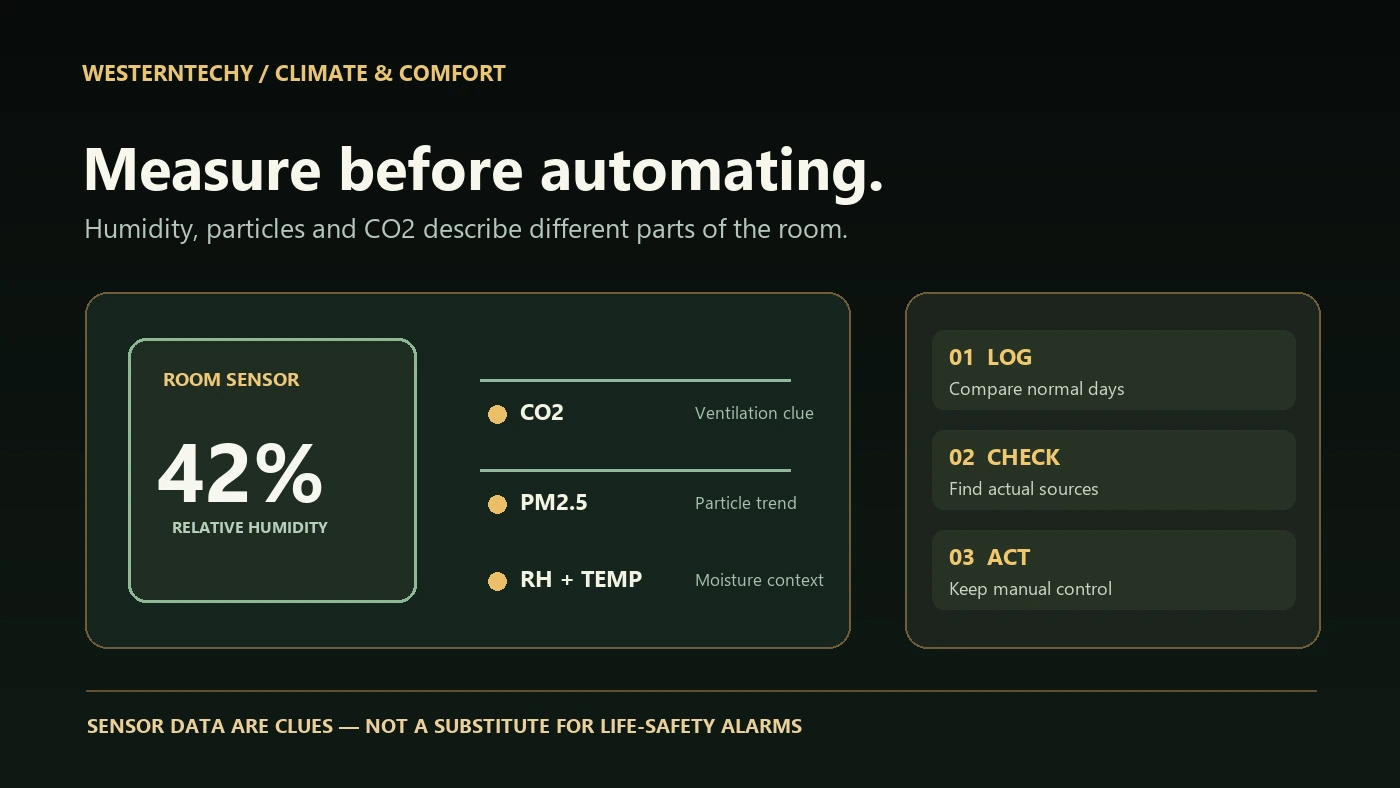
Start with the problem, not a dashboard
Walk through the room and write one observable concern. A damp window, musty corner, cooking smoke or stale-feeling room calls for different investigation. If you see leaks, water damage, active mold or combustion-appliance problems, address the source rather than treating a sensor or an automation as the repair. The U.S. EPA identifies source control, suitable ventilation and supplementary filtration as complementary approaches to indoor air quality. EPA’s basic improvement guide explains that order.
| Question | Useful measurement | What the reading cannot establish |
|---|---|---|
| Is a room persistently damp? | Relative humidity (RH) plus temperature, condensation and leak inspection. | That the building is mold-free or a hidden leak is absent. |
| Does occupancy correlate with stale air? | Actual CO2 from a specified sensor, alongside occupancy and ventilation notes. | A comprehensive measurement of pathogens or every pollutant. |
| Do cooking or outdoor particles affect a room? | PM2.5 or PM trend on a monitor with documented capabilities. | An exact regulatory-grade exposure figure without validation. |
| Did cleaning or a product change the air? | Source/activity log and an appropriate pollutant-specific measurement. | That a generic VOC index identifies an individual chemical. |
| Is there a life-safety hazard? | Approved smoke and carbon monoxide alarms and professional checks. | A substitute from a consumer “air quality” sensor. |
Understand what each consumer sensor is reporting
Relative humidity is about moisture, not an air-pollution score
Relative humidity changes with temperature. Compare readings taken at similar conditions and look for persistent patterns rather than a single momentary spike after showering. EPA recommends keeping indoor RH below 60 percent and ideally in the 30–50 percent range where possible. That is guidance for moisture management, not a rigid command to run equipment at every crossing. Condensation on windows or walls, wet materials and leaks deserve action even if a nearby meter looks acceptable. EPA’s mold and moisture guide emphasizes drying wet areas and fixing water sources promptly.
CO2 is a ventilation clue, not a universal safety grade
Indoor carbon dioxide may help identify occupancy-related ventilation patterns when measured and interpreted appropriately. Read the hardware specification to see whether the device actually measures CO2; do not treat “eCO2,” a derived estimate or a branded “fresh air” score as an equivalent measurement without evidence. A number without context—room occupancy, activity, outdoor conditions, sensor location and accuracy—is weak evidence. EPA says indoor CO2 measurements can provide ventilation information but need careful interpretation. Read the agency’s CO2 explanation.
PM2.5 and VOC readings answer different questions
A particle sensor can help show changes associated with cooking, smoke or outdoor air entering a room. A consumer VOC index may respond to mixtures from cleaning, fragrance or other products, but it is not an instrument that names each substance or proves a room is safe. Affordable monitors vary in selectivity, accuracy and sensitivity to heat or humidity; even a plausible-looking number may be biased. Use a trend, a logged activity and the exact manufacturer specification together. See EPA’s indoor low-cost monitor guide and air sensor limitations.
Place the sensor where it represents the question
A sensor next to a shower, open window, stove, supply vent, humidifier or air purifier may measure that immediate influence rather than the occupied room. A unit hidden behind furniture may not get representative airflow. EPA’s siting advice puts typical indoor monitors roughly at breathing-zone height, 3–6 feet above the floor, with free airflow and separation from local sources and sinks. Follow the exact product’s placement directions where they differ; outdoor-rated devices and specialized leak sensors have different siting needs. EPA’s siting guide explains the trade-offs.
For bathrooms, place a suitable humidity sensor away from direct splashes and steam jets while still capturing how moisture dissipates after a shower. In a bedroom, keep a CO2 monitor away from someone breathing directly into it. For particle trends, document whether the device sits near a purifier or cooking source. Do not place a non-weatherproof unit outdoors or in a wet location; power cables and batteries must be suitable for the space.
Choose a device and platform by the actual measurements
| Before you buy | Verification to record | Why it matters |
|---|---|---|
| Measurement types | Temperature, RH, actual CO2, PM2.5, VOC index and their specified sensor types. | One device may show only a subset. |
| Accuracy and response | Maker’s specifications, calibration/maintenance guidance and update interval. | Short spikes and long-term drift affect conclusions. |
| Installation | Power, batteries, wall mounting, wet-location restrictions and minimum clearance. | Practical and electrical constraints govern placement. |
| Data access | Native app, export/history, local access, subscription and retention terms. | A current number is not a useful baseline without history. |
| Ecosystem integration | Exact model, firmware, hub/controller and exposed measurement/trigger entities. | A logo or Matter pairing alone does not guarantee all metrics appear in an app. |
| Household control | Shared roles, privacy, offline behavior, ownership and move-out path. | Devices outlast accounts and subscriptions. |
Confirm the exact model against the intended platform. A home hub may display temperature and humidity but not the device’s proprietary air-quality index or history. Check whether the desired reading is exposed as an automation trigger, and whether that trigger still works without cloud access. A sensor reporting every few minutes is not suitable for a split-second safety action. Our compatibility matrix explains the difference between a radio/protocol and a usable device feature.
Build a seven-day baseline before connecting a relay
Day 1—inventory: note the room, reason for measuring, sensor model, app/firmware, power source, permitted mounting point and who can see the data. Record existing visible water or condensation separately. If there is a leak or visible contamination, correct or escalate it immediately; do not defer repair while gathering a week of numbers.
Days 2–3—ordinary activity: log the sensor reading at comparable times, occupancy, cooking, showering, cleaning, window use, weather and whether fans or HVAC were already operating. Look for recovery time after a normal event. Do not treat humidity or CO2 recorded at different temperature and occupancy conditions as directly comparable without noting the context.
Days 4–5—one reversible change: for a suitable room, test an existing exhaust fan, approved ventilation routine or ordinary window use when outdoor conditions are appropriate. Keep the sensor placement consistent and change one variable, not five. Do not open windows during hazardous outdoor smoke or where property and safety rules prohibit it. If the issue is a water leak or failed duct, repair takes priority over automation.
Days 6–7—recheck: compare similar periods and record what happened when internet or device power was unavailable. Was a reading delayed? Did someone still have a manual way to operate the equipment? Are reminders comprehensible to other household members? Use the baseline to decide whether a simple notification solves the problem before purchasing actuators or changing HVAC equipment.
Automations that help without turning comfort into a hazard
Start with a reminder: “Bathroom humidity is staying elevated after use—check ventilation and wet surfaces.” A notification does not override a building system and lets a resident verify the actual cause. Next, where permitted, use a manufacturer-supported fan or dehumidifier control rather than placing an arbitrary mains-powered appliance on a smart plug. Verify restart behavior, electrical ratings, minimum run times, moisture and appliance warnings in the exact maker’s instructions. Never auto-switch portable heaters, medical equipment, smoke/CO alarms or critical ventilation with a generic smart plug.
| Example | Useful design | Guardrail |
|---|---|---|
| Humidity reminder | Elevated RH persists after showering; notify and log recovery. | Check wet surfaces; no claim that the sensor detects mold. |
| Approved exhaust fan | Use a supported control with a suitable delay and manual operation. | Preserve required ventilation, electrical safety and household override. |
| Air-cleaner schedule | Use the unit’s approved automation and inspect trend after cooking. | Do not assume filtration removes all gases or replaces fresh air. |
| Stale-room cue | Compare actual CO2 trends with occupancy and permitted ventilation. | No universal “safe” CO2 number or infection-risk guarantee. |
| Dry-room reminder | Review sustained RH and the actual conditions before changing humidification. | Clean the humidifier; do not drive RH high or wet surfaces. |
Use hysteresis or a sustained-time condition to avoid rapid switching around one threshold; provide a minimum runtime or cooldown if the manufacturer supports it. For example, a reminder can require a persistent high-humidity trend after a shower rather than reacting to a single burst of steam. The appropriate numbers depend on room, outdoor conditions, sensor uncertainty and equipment. Keep manual control available, document how to disable a rule, and test behavior after power, network or controller failure. Our reliable automation Guide
When an air purifier, humidifier or dehumidifier helps—and when it does not
Air cleaning is an additional tool, not a substitute for stopping a pollutant at its source or bringing in suitable outdoor air. Choose a portable filter by its verified specifications, the room and pollutant of interest, and maintain it as instructed. EPA advises against ozone generators in occupied rooms; ozone can harm health and is not an effective general solution for indoor pollutants at concentrations within health standards. See EPA’s home air-cleaner guide and ozone-generator warning.
Humidity controls are similarly context-dependent. A dehumidifier may reduce moisture, but if the cause is a leaking pipe, condensation on a cold structural surface or defective ventilation, the root cause must still be corrected. A humidifier needs careful water and cleaning practices; dispersing minerals or microbes creates a new indoor-air problem. Keep RH generally below 60 percent and ideally around EPA’s 30–50 percent guidance where practical, while watching actual condensation, building conditions and manufacturer advice. Never assume a thermostat’s displayed humidity sensor represents every room.
Safety, privacy and renter considerations
A typical temperature or humidity sensor is not a smoke alarm, carbon monoxide alarm, gas detector, leak shutoff or clinical monitor. Install and maintain dedicated compliant life-safety alarms as appropriate, follow local requirements and respond to alarms immediately. Do not automate disabling or muting any required alarm. If you suspect a combustion, electrical, gas or acute air-quality emergency, leave the area or follow local emergency guidance rather than diagnosing it with a consumer dashboard.
Renters can often start with a battery-powered monitor on a shelf or a permitted removable mount. Get approval before hardwiring a fan, modifying HVAC controls, drilling, attaching a device to building systems, or accessing landlord-managed network equipment. Record what you installed, who owns the account and how to remove or transfer it. Our renter installation and move-out checklistdevice tracker
Air-quality histories can incidentally reveal occupancy, waking hours, cooking and room use. Prefer the least detailed records needed for the purpose. Review the manufacturer’s cloud-retention, sharing and deletion options, avoid publishing precise room or address information, and keep owner and guest roles separate. A locally managed sensor can limit cloud dependence, but still requires software updates, network controls and owner-account planning.
Troubleshoot the reading before buying another device
| Symptom | Check first | Avoid |
|---|---|---|
| Humidity spikes at the same time daily. | Showers, cooking, windows, temperature and sensor location. | Assuming hidden mold from a single high reading. |
| CO2 rises in an occupied bedroom. | Specified real CO2 sensor, placement, occupancy and ventilation path. | Using eCO2 as a calibrated CO2 result. |
| PM rises near the purifier or kitchen. | Source timing, placement, airflow, filters and outdoor conditions. | Interpreting one low-cost reading as regulatory-grade. |
| Automation triggers rapidly. | Sensor update interval, rule conditions and minimum runtime. | Rapid cycling of appliances or HVAC controls. |
| App history differs from hub history. | Exposed entities, sampling, time zone, retention and offline gaps. | Assuming protocol support guarantees all metrics. |
| “Normal” reading with visible dampness. | Leak, condensation, hidden moisture and another location. | Ignoring observed damage because a dashboard looks green. |
When the reading is inconsistent, make a dated note, check battery/power and firmware, let the unit settle under its published instructions, then compare at a stable location if the maker supports it. Repeated factory resets can destroy history without correcting poor placement or inaccurate assumptions. For unrelated connection failures use our smart-home networking Guide.
Copyable seven-day room and sensor worksheet
| Record | Your private notes |
|---|---|
| Room, purpose and owner permission | _________________________ |
| Exact make/model, measurement and firmware | _________________________ |
| Placement, power and calibration guidance | _________________________ |
| Baseline time, temperature, RH, and other relevant readings | _________________________ |
| Occupancy, weather, shower/cooking/cleaning events | _________________________ |
| Visible moisture, condensation or source found | _________________________ |
| One permitted change and start time | _________________________ |
| Comparison at similar conditions; uncertainty and outages | _________________________ |
| Manual override, device/account owner and next review | _________________________ |
Do not include passwords, security codes, precise private addresses or full serial numbers in shared documents. If the concern remains after correcting obvious causes, arrange a qualified assessment of the actual building, appliance or environmental problem rather than attempting to derive a diagnosis from a consumer sensor.
Official references and editorial method
- EPA: caring for indoor air and moisture targets; mold, moisture and prompt water-source control.
- EPA: low-cost indoor monitors and their limitations; siting and airflow guidance; sensor uncertainty and performance.
- EPA: interpreting indoor CO2 for ventilation; source control, ventilation and filtration.
- EPA: residential air cleaners; why ozone generators are not an indoor-air solution.
Editorial note (reviewed September 27, 2026): This article synthesizes U.S. EPA guidance and practical smart-home setup considerations. It does not report original laboratory measurements, diagnose health conditions or verify every device ecosystem. Guidance and supported features can change; check exact manufacturer documentation, local safety rules and property permissions before using an appliance or automation.