
The Kasa KP125M is the best smart plug for most homes because it combines Matter support, energy monitoring, a compact design, and direct Wi-Fi connectivity. The Tapo P125M is the simpler value pick, while Eve Energy and Onvis S4 are stronger choices for homes built around Thread and local control.
Checked September 16, 2026. This guide is based on current manufacturer specifications, support documentation, certification claims, and safety guidance. We did not hands-on test every model, so we do not claim measured speed, range, or long-term reliability that we cannot verify.
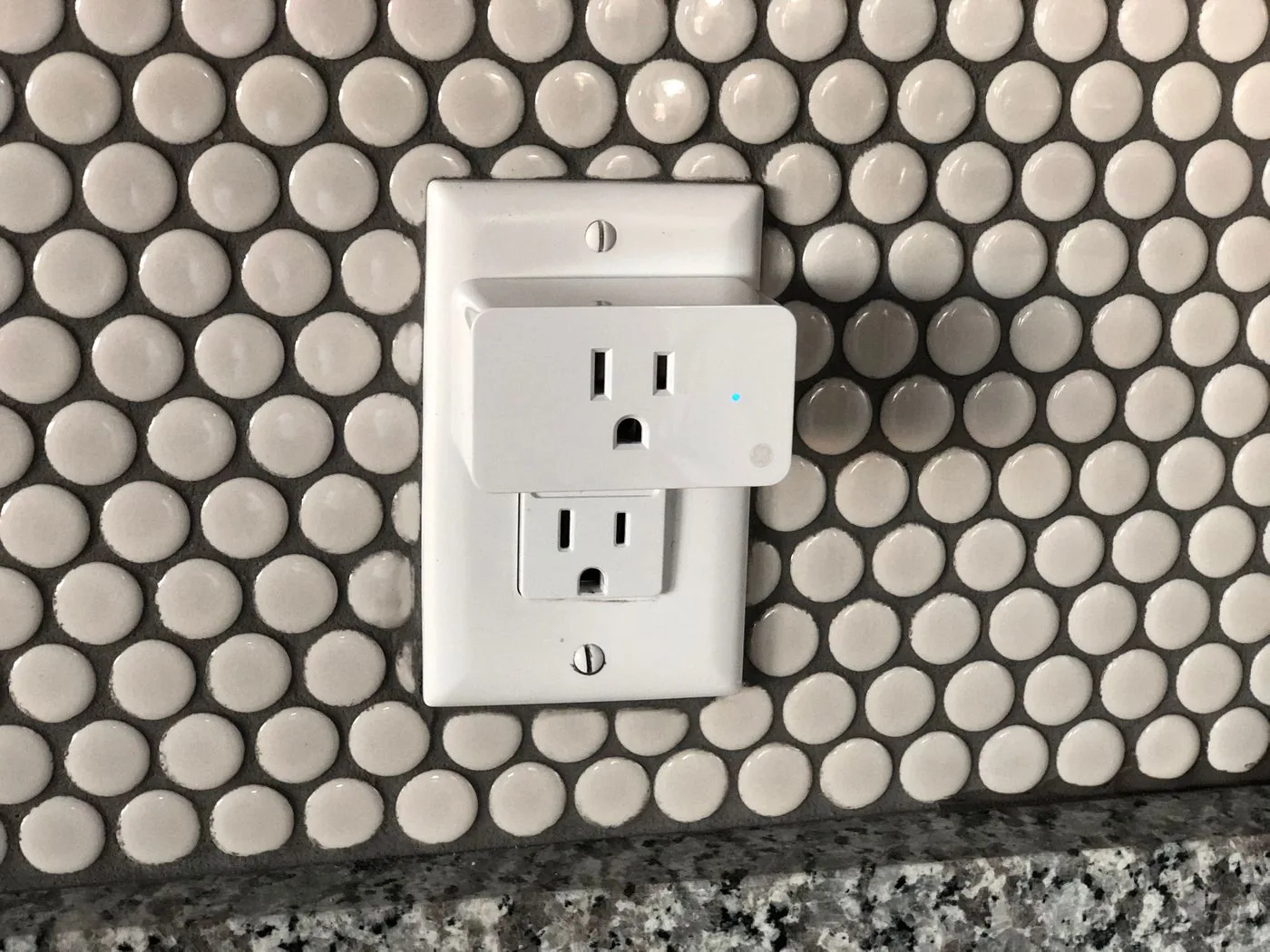
The quick answer
| Pick | Best for | Connection | Energy monitoring | Main limitation |
|---|---|---|---|---|
| Kasa KP125M | Most homes | 2.4 GHz Wi-Fi + Matter | Yes | Matter energy data varies by platform |
| Tapo P125M | Simple, lower-cost Matter setups | 2.4 GHz Wi-Fi + Matter | No advertised metering | Fewer power insights than Kasa |
| Eve Energy | Privacy-first Thread homes | Matter over Thread | Yes | Needs a compatible Thread border router |
| Onvis S4 | Affordable Thread control | Matter over Thread | No advertised metering | Firmware update may be needed |
Short version: choose the Kasa KP125M if you want useful energy data without adding a Thread hub. Choose Eve Energy if privacy, local operation, and Thread are more important than price. Choose the Tapo P125M or Onvis S4 when you mainly want dependable on/off control and schedules.
How we evaluated these smart plugs
A smart plug is a small electrical device, so the recommendation should start with compatibility and safety—not a long feature list. We compared each model using five questions:
- Will it fit the home? We checked platform support, radio type, hub requirements, and whether it can use Matter.
- Will it fit the appliance? We checked published load ratings and indoor-use limitations.
- What still works locally? We looked for manufacturer statements about local control, on-device schedules, or cloud-free operation.
- Does it reveal useful energy data? We separated true power monitoring from simple timers and auto-off features.
- Are the tradeoffs clear? We included setup requirements, platform-specific limitations, and firmware caveats instead of treating every Matter plug as interchangeable.
We excluded generic white-label plugs with unclear support documentation. We also avoid recommending any smart plug for a space heater; the U.S. Consumer Product Safety Commission says portable electric heaters should be connected directly to a wall outlet.
1. Kasa KP125M: best smart plug for most homes
Best for: people who want Matter compatibility and useful energy monitoring without buying a Thread border router.
The Kasa KP125M offers the most balanced feature set in this group. It connects over 2.4 GHz Wi-Fi, works with Matter ecosystems, and reports real-time and historical power consumption through Kasa. Its compact body is designed not to block the second receptacle in a standard duplex outlet, and it supports schedules, timers, away mode, and manual control.
The important 2026 detail is energy reporting through Matter. TP-Link’s August 2026 firmware notes say the KP125M supports Matter 1.3 energy reporting, but also warn that not every Matter platform has implemented it consistently. TP-Link specifically lists SmartThings and Home Assistant as working at that time. In practice, the Kasa app remains the safest place to expect the full set of energy graphs and cost tools. For exact firmware versions, controller limitations and a practical check, see our KP125M Matter 1.3 energy-monitoring update.
- Choose it if: you want one plug that is easy to place, broadly compatible, and useful for measuring lamps, fans, office gear, or entertainment equipment.
- Skip it if: your goal is a cloud-free Thread network or you refuse to install a manufacturer app for the richest energy data.
- Watch for: platform differences in Matter energy reporting and the need for a 2.4 GHz Wi-Fi network during setup.
Read the official Kasa KP125M specifications and current firmware notes.
2. Tapo P125M: best simple Matter value
Best for: lamps, appropriately rated fans, and other indoor devices whose manufacturers expressly allow plug-in switching when you want Matter support but do not need power-usage graphs. Do not treat a coffee maker or other heat-producing appliance as an automatic fit for unattended scheduling.
The Tapo P125M is the straightforward choice. It connects to 2.4 GHz Wi-Fi, can be added through the Tapo app or a compatible Matter app, and supports Alexa, Apple Home, Google Home, and SmartThings. TP-Link rates it for a maximum 15 A and 1,800 W at 120 V for general or resistive loads, with a 1/6-horsepower motor rating.
Its most useful features are simple: schedules, auto-off, remote control, voice control, and a compact body. TP-Link also states that an already configured Matter app can still reach the plug on the local network when the home’s internet connection is down. That is more resilient than a device whose basic control depends entirely on a vendor cloud.
The tradeoff is measurement. TP-Link does not advertise energy monitoring for the P125M, so do not buy it expecting wattage history or cost estimates. If those insights matter, the KP125M is the better fit.
- Choose it if: you want compact, cross-platform on/off control at a sensible cost.
- Skip it if: energy monitoring is the reason you are buying a smart plug.
- Watch for: appliance load type; a 15 A headline does not override the manufacturer’s specific motor and use-case ratings.
Read the official Tapo P125M specifications.
3. Eve Energy: best for privacy and Thread
Best for: Apple Home, Google Home, SmartThings, Alexa, Home Assistant, or Homey users who already have a compatible Matter controller and Thread border router.
Eve Energy is the premium pick here because it combines Matter-over-Thread control with energy metering and a privacy-first design. Eve says the plug requires no Eve cloud, account, or subscription. Its built-in schedules can continue independently of a phone or internet connection, although creating those schedules requires the Eve app on supported platforms.
For the U.S. and Canada, Eve lists a maximum of 15 A and 1,800 W at 120 V. The company also states that the current model is UL- and TÜV-certified. Because it is a mains-powered Full Thread Device, it can relay Thread traffic and help extend a Thread mesh.
The requirement is the catch: Eve Energy needs a compatible hub that provides both Matter controller and Thread border router functions. If you do not already own one, the total cost and setup complexity are higher than with a Wi-Fi plug. Energy features also differ across platforms, so check Eve’s current compatibility table before buying solely for a particular app’s energy dashboard.
- Choose it if: you already use Thread and value local schedules, energy data, and minimal vendor-cloud dependence.
- Skip it if: you want a plug that connects directly to Wi-Fi with no hub requirement.
- Watch for: whether your existing hub is both a Matter controller and a Thread border router.
Read the official Eve Energy requirements and specifications.
4. Onvis S4: affordable Matter-over-Thread control
Best for: a Thread-based home that needs inexpensive, local on/off control rather than energy data.
The Onvis S4 uses Matter over Thread and supports Apple Home, Alexa, Google Home, and SmartThings. Onvis rates the U.S. model for 15 A and 1,800 W at 120 V, labels it for indoor use, and uses V0 flame-resistant polycarbonate. The company also says the plug does not require its cloud or account for normal Matter operation.
Like Eve Energy, the S4 requires a Matter-over-Thread border router. It does not advertise energy monitoring, so its role is straightforward automation. There is also a specific maintenance caveat: Onvis says units on firmware 1.1.0-315 should be updated to version 1.1.11 through the iOS Onvis Home app. That matters for households without an iPhone or iPad available for the update.
- Choose it if: you already own a Thread border router and want local Matter control at a lower price than Eve Energy.
- Skip it if: you need power monitoring or cannot complete a required firmware update.
- Watch for: the installed firmware version and the separate Thread border-router requirement.
Read the official Onvis S4 specifications and firmware notice.
Which smart plug should you buy?
- You want the safest all-around recommendation: buy the Kasa KP125M.
- You want a simple Matter plug and do not care about energy graphs: choose the Tapo P125M.
- You already have a Thread border router and prioritize privacy plus energy monitoring: choose Eve Energy.
- You already have Thread and only need affordable local control: consider the Onvis S4 after checking its firmware.
- You use only Alexa and want the fewest decisions: a basic Alexa-only plug can work, but a Matter model gives you more flexibility if you change ecosystems later.
What Matter does—and does not—guarantee
Matter gives compatible platforms a common way to commission and control devices. It can reduce ecosystem lock-in, but the Matter logo does not make every plug equal. A Wi-Fi Matter plug still uses your Wi-Fi network. A Matter-over-Thread plug still needs a Thread border router. Advanced features such as energy history, cost estimates, firmware updates, and vendor-specific settings may remain in the manufacturer’s app or appear differently across ecosystems.
For a resilient setup, choose the radio type intentionally, keep the manufacturer app available for firmware updates, and confirm that your chosen platform supports the feature you care about—not merely the device category.
Electrical safety and appliance limits
A smart plug’s maximum amperage is not permission to control every appliance below that number. Motor loads, heating elements, startup surges, and manufacturer restrictions can impose lower limits. Check the plug’s manual, the appliance nameplate, and the appliance manufacturer’s instructions. Use indoor plugs only in dry indoor locations, and replace any plug or outlet that becomes unusually warm, discolored, loose, or damaged.
Do not use these picks as a space-heater workaround. In January 2026, the U.S. Consumer Product Safety Commission advised consumers to plug electric space heaters directly into a wall outlet, never an extension cord or power strip, and to turn heaters off while sleeping. We apply that direct-wall guidance to smart plugs as well.
Read the CPSC’s current portable-heater safety guidance.
Frequently asked questions
Do smart plugs work when the internet is down?
Sometimes. Local Matter control can continue on the home network when the internet connection fails, provided the controller, network, and plug still have power and the platform supports local operation. Remote access from outside the home will not work without internet. Vendor-cloud-only features may also stop.
Do I need a hub?
The Kasa KP125M and Tapo P125M connect to 2.4 GHz Wi-Fi, but using them through Matter still requires a compatible Matter controller in your chosen ecosystem. Eve Energy and Onvis S4 additionally require a Thread border router.
Is energy monitoring available in every app?
No. A plug may measure energy while your chosen smart-home platform exposes only on/off control. TP-Link’s 2026 KP125M firmware notes explicitly warn that Matter 1.3 energy support remains inconsistent across apps. Check the current platform support before buying.
Can I use a smart plug with a coffee maker?
Only if the coffee maker resumes brewing when power is restored and both manufacturers permit the use. Many machines with electronic buttons remain off after the plug supplies power. Never automate an appliance in a way that can create heat, movement, or another hazard while unattended.
Our recommendation
For most readers, buy the Kasa KP125M. It has the broadest useful feature mix without requiring a Thread border router. If you are deliberately building a privacy-focused Thread home, spend more for Eve Energy. The Tapo P125M and Onvis S4 make sense when you want simpler control and understand what they leave out.
Editorial disclosure: Product makers did not approve this guide. Recommendations are based on the cited documentation and our stated criteria. If we add retailer links, WesternTechy may earn a commission without increasing your price.
Update policy: We recheck model availability, firmware notes, platform support, and safety guidance when this guide is materially updated. Last checked September 16, 2026.
Continue with practical setup and ownership
The comparison above is based on its stated product documentation and selection criteria, not a claim of hands-on tests across every home or a live retailer-price feed. Use the related worksheets and guides below to check your exact hardware, installation permissions, safe use, and account lifecycle.