
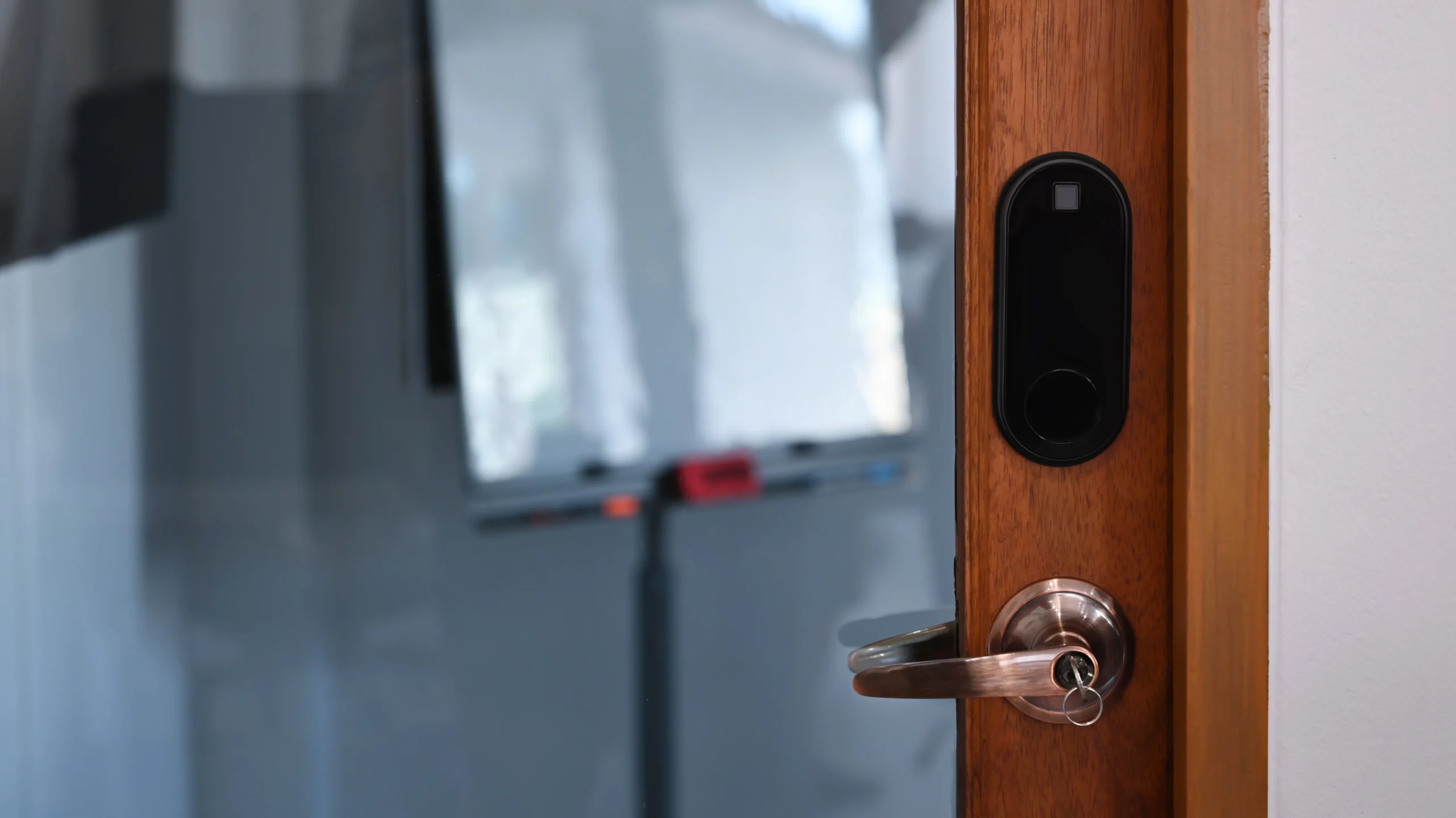
Quick picks: Schlage Encode Plus is the strongest choice if you want a complete deadbolt replacement with built-in Wi-Fi and Apple home keys. Yale Assure Lock 2 Touch is the best fit if fingerprint access is the priority. Aqara U200 is the most compelling Matter-over-Thread retrofit because it keeps the existing exterior lock and adds fingerprint, PIN and Apple home key access. August Wi-Fi Smart Lock remains the simplest mature retrofit for a standard single-cylinder deadbolt. SwitchBot Lock Pro Matter Enabled is the most interesting newer retrofit if you want Matter over Wi-Fi without adding a SwitchBot hub.
Research disclosure: this buying guide is based on current manufacturer product pages, support documentation and compatibility requirements checked in October 2026. WesternTechy has not hands-on tested every lock in this comparison. We do not rank picking resistance, motor durability, real-world battery life or biometric reliability beyond what manufacturers document.
Security and installation note: a smart lock is still part of the physical security of the door. Before buying, check deadbolt type, backset, bore dimensions, door alignment, latch movement, handing where relevant, emergency-key access, battery recovery and whether changing the lock is permitted. A motorized lock should not be used to compensate for a door that already binds or needs force to latch.
Best smart locks in 2026
| Pick | Lock architecture | Primary smart connection | Key access methods | Best for |
|---|---|---|---|---|
| Schlage Encode Plus | Full deadbolt replacement | Built-in Wi-Fi; Apple Home support | Keypad, physical key, app, Apple home key | Apple households and complete deadbolt replacement |
| Yale Assure Lock 2 Touch | Full deadbolt replacement | Bluetooth; Wi-Fi module on Wi-Fi versions | Fingerprint, keypad/touchscreen, app, optional physical key depending on version | Fingerprint-first access |
| Aqara Smart Lock U200 | Interior retrofit over existing deadbolt | Matter over Thread; Bluetooth for setup | Fingerprint, PIN, NFC, Apple home key, original physical key | Matter/Thread homes and reversible retrofits |
| August Wi-Fi Smart Lock | Interior retrofit over existing deadbolt | Built-in Wi-Fi and Bluetooth | App, auto-unlock, optional keypad, original physical key | Simple mature retrofit with minimal exterior change |
| SwitchBot Lock Pro Matter Enabled | Interior retrofit | Matter over Wi-Fi | App, physical key retained, optional keypad/fingerprint accessories | Renter-friendly retrofit and Matter without a separate SwitchBot hub |
These products are not interchangeable. The first two replace the deadbolt hardware. The last three keep more of the existing exterior hardware and add a motorized interior control. That difference matters for renters, door compatibility, aesthetics and what happens if you move.
Best overall for Apple home key: Schlage Encode Plus
Schlage Encode Plus remains one of the cleanest recommendations for homeowners who want the smart lock itself to replace the existing deadbolt and who value Apple home key access.
Schlage’s current product page supports unlocking with Apple home keys stored on a compatible iPhone or Apple Watch. The lock also includes a keypad, a traditional key cylinder and the Schlage Home app. Built-in Wi-Fi means the Schlage app does not require a separate Schlage bridge for remote management.
Schlage says the lock can be installed with a screwdriver and does not require hardwiring. The current product family supports unique access codes and remote lock management through the Schlage Home app.
Why choose Encode Plus
- Apple home key support
- Built-in Wi-Fi
- Keypad on the exterior
- Physical key remains available
- Remote access through Schlage Home
- Alexa, Siri and Google Assistant integrations
- Familiar complete-deadbolt design rather than an interior retrofit motor
Who should not choose it
Encode Plus is a full deadbolt replacement. That makes it less renter-friendly than an interior retrofit if the lease or landlord does not permit replacing door hardware.
It is also a more expensive route if all you need is an interior motor that preserves the existing exterior lock and key.
Apple home key is different from app unlocking
With Apple home key, a supported iPhone or Apple Watch can act more like a contactless credential at the door. That is a different interaction from opening a lock manufacturer’s app and tapping an unlock button.
Apple home key still depends on compatible Apple hardware and setup. Do not choose the lock for that feature if the household primarily uses another mobile platform.
Manufacturer sources: Schlage Encode Plus and Schlage Encode Plus support.
Best fingerprint deadbolt: Yale Assure Lock 2 Touch
Yale Assure Lock 2 Touch is the strongest choice in this comparison when biometric access is the deciding feature and you want a conventional deadbolt replacement rather than a retrofit motor.
The fingerprint scanner is integrated into the Yale logo on the exterior. Yale says the current lock supports up to 20 fingerprints, with one fingerprint per user, and stores fingerprint data locally at the lock using AES encryption.
The Touch family is sold in keyed and key-free configurations and with different connectivity packages. Bluetooth is built into the Assure Lock 2 family. Wi-Fi versions or a compatible Wi-Fi module add remote access and broader integrations.
Why choose Yale Assure Lock 2 Touch
- Fingerprint access integrated into the lock
- Keypad or touchscreen access depending on model
- Yale Access app
- DoorSense support for door-open/closed state
- Guest access and entry codes
- Choice of keyed and key-free exterior designs
- Wi-Fi configurations available for remote control
Fingerprint access should be one method, not the only recovery method
Biometrics are convenient, but a door needs a practical fallback for wet fingers, injuries, failed enrollment, battery depletion or a user who was never enrolled.
Choose the Yale configuration whose backup method fits the household. That may mean a PIN, a physical key, app access or a combination.
Pay attention to the exact connectivity package
“Assure Lock 2 Touch” describes a product family, not one identical connectivity configuration.
Yale’s current documentation distinguishes Bluetooth, Wi-Fi and Z-Wave module options. Make sure the listing you buy includes the connectivity you actually want rather than assuming every Touch model provides remote Wi-Fi access out of the box.
Manufacturer sources: Yale Assure Lock 2 Touch and Yale Assure Lock 2 Touch FAQ.
Best Matter-over-Thread retrofit: Aqara Smart Lock U200
Aqara U200 is the most technically interesting lock here for a household that wants Matter over Thread without replacing the exterior deadbolt.
The U200 mounts to the interior side of a compatible existing lock. For U.S. deadbolts, Aqara says it supports compatible single-cylinder deadbolts with common 2-3/8-inch and 2-3/4-inch backsets. The original exterior key cylinder remains in place.
The included keypad adds fingerprint and PIN access, and the lock supports NFC and Apple home keys. Smart-home integration uses Matter over Thread.
Why choose Aqara U200
- Retrofits the existing lock rather than replacing the exterior cylinder
- Matter over Thread
- Fingerprint reader
- PIN keypad
- Apple home key support
- NFC access
- Original physical key remains usable
- Rechargeable battery in the interior lock
Matter over Thread still needs infrastructure
Aqara is explicit that third-party Matter use requires a Matter Controller and a Thread Border Router.
That can already be present in devices such as compatible HomePods, Apple TVs, Google Nest hubs, Echo devices or SmartThings hardware, but the exact controller and ecosystem support should be checked before purchase.
If you only want local Bluetooth setup and Aqara-specific functions, the requirements differ. Do not interpret “Thread” as meaning the lock works remotely with no controller anywhere in the home.
Why it is attractive for renters
Because the U200 operates the existing deadbolt from the inside, it can be much easier to reverse at move-out than replacing the entire exterior lock.
That does not automatically make it permitted. A lease can still restrict adding powered access hardware, exterior keypads or adhesive/screw-mounted accessories.
For a rental, keep the original interior thumbturn hardware and document the removal/reset procedure before installation.
Manufacturer sources: Aqara Smart Lock U200 and Aqara U200 installation and Matter guidance.
Best mature retrofit: August Wi-Fi Smart Lock
August Wi-Fi Smart Lock remains one of the simplest retrofit concepts: keep the outside of the existing single-cylinder deadbolt and replace the interior thumbturn with the August motor.
The current fourth-generation lock has Wi-Fi built in, so it does not require the older August Connect bridge. August lists compatibility with Alexa, Google Assistant and Apple HomeKit/Siri.
DoorSense is included so the app can distinguish between the door being open or closed rather than only reporting the state of the deadbolt.
Why choose August
- Keeps the existing exterior key and appearance
- Works with compatible single-cylinder deadbolts
- Built-in Wi-Fi
- No separate August Wi-Fi bridge required
- DoorSense included
- Auto-lock and auto-unlock features
- Optional keypad accessories
- Mature guest-access and activity-feed workflow
Why the retrofit architecture matters
A retrofit lock can be a better fit when:
- the household wants to keep the same physical key
- an HOA or landlord cares about the exterior appearance
- reversibility matters
- the current deadbolt hardware is already mechanically sound
It is a worse fit when the existing deadbolt is worn, poorly aligned or incompatible with the retrofit adapters.
Battery type is part of the ownership cost
The current August Wi-Fi Smart Lock uses two CR123 batteries. Those are less universally available than AA batteries, so keep replacements on hand if the lock is important to daily access.
Manufacturer source: August Wi-Fi Smart Lock specifications.
Best newer Matter retrofit without a hub: SwitchBot Lock Pro Matter Enabled
SwitchBot’s Matter Enabled version of Lock Pro deserves attention because it changes one of the older SwitchBot trade-offs.
The current Matter Enabled model advertises Matter over Wi-Fi with no SwitchBot hub required for supported third-party smart-home control. SwitchBot lists Apple Home, Alexa, Google Home, Home Assistant and other platforms among supported integrations.
Like August and Aqara U200, Lock Pro is designed as a retrofit product that preserves the existing exterior lock hardware on compatible doors.
Why choose SwitchBot Lock Pro Matter Enabled
- Retrofit installation
- Matter over Wi-Fi
- No separate SwitchBot hub required for the Matter-enabled model
- Original physical key remains usable
- Optional keypad/fingerprint accessories available
- Designed to avoid permanent changes to compatible existing locks
Watch the product name carefully
SwitchBot has sold multiple Lock Pro configurations. Older Lock Pro Matter setups relied on a compatible SwitchBot Matter hub. The newer product specifically named Lock Pro Matter Enabled advertises Matter over Wi-Fi without that separate hub.
When buying from a marketplace, confirm the exact model rather than assuming every listing named “Lock Pro” has the newer connectivity.
Why renters may prefer it
SwitchBot positions the retrofit design as suitable for renters because it mounts over compatible existing lock hardware without replacing the exterior cylinder.
As with Aqara and August, reversibility is helpful but does not override the lease. Confirm whether an exterior keypad, adhesive mount or interior motor is allowed.
Manufacturer source: SwitchBot Lock Pro Matter Enabled.
Full deadbolt replacement versus retrofit: which architecture is better?
This is the most important smart-lock decision before brand.
Choose a full replacement when:
- you own the door hardware or have permission to replace it
- you want an integrated exterior keypad or fingerprint reader
- the existing deadbolt is old or needs replacement anyway
- you want a cleaner all-in-one appearance
Schlage Encode Plus and Yale Assure Lock 2 Touch are full replacements.
Choose a retrofit when:
- you want to keep the existing exterior key cylinder
- reversibility matters
- the exterior appearance should stay unchanged
- you are renting and have permission for an interior smart-lock motor
Aqara U200, August Wi-Fi Smart Lock and SwitchBot Lock Pro are retrofit designs.
Best smart lock for renters
Start with Aqara U200, August Wi-Fi Smart Lock or SwitchBot Lock Pro Matter Enabled because they preserve more of the existing door hardware.
The right choice depends on what access method you want:
- Aqara U200: strongest combination of fingerprint, PIN, Apple home key and Matter over Thread
- August: simplest mature retrofit if app/auto-unlock and optional keypad access are enough
- SwitchBot Lock Pro Matter Enabled: Matter over Wi-Fi and an expanding accessory ecosystem
Do not install any of them without checking permission. Keep the original interior hardware in a labeled bag and include lock removal/reset in your move-out plan.
Use the Smart Homes for Renters & Apartments pathway and the Renter Installation & Move-Out Checklist before installation.
Best smart lock for Apple Home users
There are two different Apple-oriented paths here.
Schlage Encode Plus is the straightforward full deadbolt replacement with Apple home key.
Aqara U200 is the more flexible retrofit if you want to keep the existing exterior lock while still gaining Apple home keys through a compatible Apple Home/Matter-over-Thread setup.
August supports Apple HomeKit/Siri control, but it is not the same Apple home key tap-to-unlock experience.
Best smart lock for Matter
Aqara U200 and SwitchBot Lock Pro Matter Enabled use different Matter transports.
Aqara U200 uses Matter over Thread. It requires suitable Matter Controller and Thread Border Router infrastructure for third-party Matter ecosystems.
SwitchBot Lock Pro Matter Enabled uses Matter over Wi-Fi according to SwitchBot’s current product page and does not require a separate SwitchBot hub for that model.
Matter should not outrank mechanical compatibility. A lock that does not fit or that struggles against a binding deadbolt is the wrong lock regardless of protocol.
Best smart lock for fingerprint access
Yale Assure Lock 2 Touch and Aqara U200 are the clearest fingerprint choices in this comparison.
Yale integrates the fingerprint reader directly into the exterior lock hardware.
Aqara puts fingerprint access on the separate exterior keypad while the interior retrofit motor continues to operate the existing deadbolt.
Choose based on whether you want to replace the lock or preserve it.
Do not ignore the physical key
Many households still benefit from a mechanical key path even when most daily entry is electronic.
A key can matter when:
- batteries are depleted
- the phone is lost
- a fingerprint is not recognized
- a guest does not have app access
- the smart-home controller is offline
- a property manager or emergency contact needs a documented fallback
Schlage Encode Plus retains a key cylinder. Yale offers keyed versions of Assure Lock 2 Touch. Aqara U200, August and SwitchBot preserve the existing exterior key cylinder because they retrofit the inside.
Door alignment matters more than smart features
A deadbolt should extend and retract smoothly before a motor is added.
If you already need to push, pull or lift the door to turn the thumbturn, fix that mechanical issue first.
A smart lock motor repeatedly fighting a misaligned strike can lead to failed locking, false status assumptions and poor battery life.
Check:
- deadbolt movement with the door open
- deadbolt movement with the door closed
- strike alignment
- weather-strip pressure
- door sag
- whether the deadbolt fully extends without force
Read How to Install a Smart Lock Safely before assuming an electronic lock will fix a mechanical door problem.
Guest access: codes are usually better than shared passwords
A good smart-lock setup should give guests their own access method rather than sharing the owner’s account credentials.
Use unique PINs, guest invitations or time-limited credentials where supported.
This makes it easier to revoke one person’s access and preserves a more useful activity history.
For cleaners, contractors or short-term guests, a time-limited code can also reduce the risk of forgotten permanent access.
Remote unlocking deserves a deliberate policy
Remote access is convenient, but it changes the risk model from a local door control to an internet-connected access system.
Use:
- strong account passwords
- multifactor authentication where available
- individual household accounts instead of one shared login
- current firmware
- reviewed guest access
- account-recovery information stored securely
Do not give maintenance staff or guests the primary administrator password.
Use Smart Home Access & Privacy Audit to review who still has control.
Smart locks and property turnover
For a rental or managed property, the hardware handover and digital handover are separate tasks.
At turnover:
- remove former resident codes and fingerprints
- remove former household members from the lock account
- verify the administrator account belongs to the intended owner
- review integrations with Apple Home, Google Home, Alexa, SmartThings or other platforms
- test the physical key or mechanical fallback
- replace batteries if their condition is uncertain
- document the next resident’s setup process
Use Smart-Home Turnover for Landlords & Property Managers for the broader handover workflow.
What we would choose for different homes
| Situation | Shortlist | Why |
|---|---|---|
| Apple household, full replacement | Schlage Encode Plus | Apple home key, keypad, key cylinder and built-in Wi-Fi |
| Fingerprint-first household | Yale Assure Lock 2 Touch | Fingerprint reader integrated into the exterior lock |
| Matter over Thread retrofit | Aqara U200 | Thread, fingerprint, PIN and Apple home key while retaining the existing exterior lock |
| Simple proven retrofit | August Wi-Fi Smart Lock | Built-in Wi-Fi, DoorSense and mature app/guest-access workflow |
| Matter over Wi-Fi retrofit | SwitchBot Lock Pro Matter Enabled | Newer hub-free Matter model with reversible retrofit architecture |
| Rental property | Aqara, August or SwitchBot after permission | Interior retrofit is generally easier to reverse than replacing the exterior deadbolt |
Before you buy: smart-lock checklist
- Identify the lock type. Single-cylinder deadbolt, mortise lock, multipoint lock or another design.
- Measure the door and backset. Do not assume all U.S. deadbolts use the same geometry.
- Fix binding first. The deadbolt should move smoothly by hand.
- Choose replacement or retrofit. That decision determines reversibility and exterior appearance.
- Choose the access methods. Key, PIN, fingerprint, home key, app or guest credential.
- Check the controller requirements. Wi-Fi, Thread, Matter Controller, hub or no hub.
- Plan battery recovery. Know the battery type and emergency-access method.
- Plan ownership. Decide which account owns the lock and who has administrator access.
- For rentals, get permission. Reversible hardware can still be restricted by the lease.
Related WesternTechy guides and tools
- Smart Lock Installation Guide
- Smart Home Access & Privacy Audit
- Smart-Home Turnover for Landlords & Property Managers
- Smart Home Security & Safety hub
- Smart Homes for Renters & Apartments
- Device Inventory & Account Transfer Tracker
Sources and editorial method
WesternTechy checked current manufacturer product pages and support documentation for compatibility, connectivity and access-method claims. Prices are intentionally not used as the primary ranking factor because sales and bundles change frequently.
- Schlage Encode Plus
- Yale Assure Lock 2 Touch
- Yale Assure Lock 2 Touch FAQ
- Aqara Smart Lock U200
- Aqara U200 compatibility and Matter guidance
- August Wi-Fi Smart Lock
- SwitchBot Lock Pro Matter Enabled
Door compatibility, firmware features, smart-home integrations and regional product variants can change. Verify the exact model and current manufacturer documentation before purchase or installation.