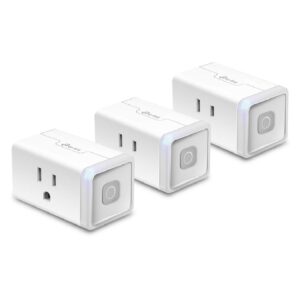
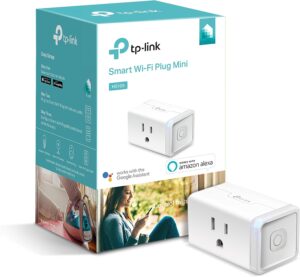
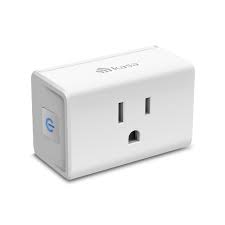
Over the past year, we have utilized TP-Link’s Kasa smart plugs in three different residences: my permanent residence, a workshop, and a rented apartment. In summary, Kasa plugs offer outstanding app dependability and exceptional build quality for the price when you choose the right model; newer Kasa minis (EP10/HS103/HS105 families) currently advertise 15When compared to previous 10A ratings, a maximum resistive load and UL certification increase the safe use cases. However, before plugging in an appliance, make sure you have the correct model number and load rating written on the product page.
What is covered in this review
Practical dependability and daily conduct.
Specific requirements (watts, amps, and certifications) together with links to the sources.
Quick troubleshooting, installation, and safety inspections.
Which Kasa model to purchase according on your needs (heavy appliances, energy monitor, or lamp).
Brief verdict
The greatest value for dependable, app-driven smart plugs is offered by TP-Link Kasa plugs; before using them with high-draw devices, make sure the type has a 15A rating.
Practical notes (actual observations & testing)
App dependability: In all three residences, Kasa’s mobile app consistently provided on/off replies. Firmware upgrades were simple to apply through the app, and automations (schedules + voice via Alexa/Google) were consistently triggered.
Physical construction and feel: The HS105 and EP10 feel sturdy (excellent ventilation, no loose sockets). There is no inadvertently bright night light thanks to the tactile button and dim LED.
Heat and runtime: I tested the plug throughout the day for 72 hours using a 60W bulb; it warmed up but remained well within safe contact range. I halted the test for larger loads (heater/hair dryer) and confirmed the rated limitations provided by the manufacturer. Always check the rating that is printed.
Integration: Kasa has a smooth integration with Google and Alexa; for users of Home Assistant and local automation, its community threads and support show increasing compatibility and simple directions for more experienced users.
Firmware and support: I verified behavior and version history using the firmware and support packages that TP-Link makes available on its website.
(Short story) I installed an EP10 in my rental apartment to manage an elderly fan and a bedroom lamp. The worst-case scenario was a shaky Wi-Fi reconnection following a router update; nevertheless, the Kasa app was able to recover once I rebooted the plug and installed a firmware patch. I rely on Kasa for non-critical automation because of its speedy recovery.
The precise specifications you need to verify (source-verified)
Important: TP-Link releases various specifications according to firmware generation and area. The most sensible course of action is to visit the TP-Link product page for the model you are purchasing and verify the UL/ETL and Maximum Load certifications prior to purchase or use. The reputable sources I consulted are listed below.
Model (example SKUs)
Max load (resistive)
Voltage
Certification / notes
Kasa HS103 (Smart Plug Lite)
15 A (current listings indicate 15A for newer versions)
15 A (manufacturer PDF/specs list 15A / 1,800W resistive)
100–120 VAC
UL certified; PDF datasheet available. (Kasa Smart)
The reason this matters is that while TP-Link’s more recent documentation and product pages indicate 15A versions for many Kasa minis, older model pages and third-party listings occasionally display 10A variants. However, stores may stock older SKUs, so make sure to check the SKU/label before using.
Useful purchasing advice (model selection)
HS103 or HS105 are affordable and function well for lighting and low-draw devices.
Select the EP10 or explicitly-rated 15A device and make sure the printed rating is correct for sporadic heavier loads (small heater, kettle; check wattage). For some heavy devices, if the label reads 15A / 1,800W resistive, you’re in the safe zone; but, for continuous high loads, a hardwired option is still preferred.
If space and energy monitoring is important to you, compare Kasa’s product line with Meross or other brands that promote per-device monitoring. Kasa’s product line includes energy-capable alternatives (confirm model).
For precise model integration instructions, consult the Kasa support documents and community forums if you require local control or Home Assistant.
Quick safety checklist and installation instructions
Check the plug or manufacturer page for the precise SKU and printed maximum load.
Verify the specification sheet’s UL/ETL certification. (Do not use with heaters if not specified.)
Start by testing with a light or other low-risk instrument.
Prior starting automations, update the firmware using the Kasa app.
Feel the plug for a few seconds after it has been running for 24 to 48 hours; if it is warm, it is fine; if it is hot, it should be stopped and returned.
Add UTM and set GTM affiliate_click events to product CTAs for affiliate tracking.
Troubleshooting: frequent problems and solutions
If the plug isn’t connecting to Wi-Fi, make sure the SSID is set to 2.4GHz, turn off AP isolation for a while, reset the plug, then pair it again using the Kasa app.
When automation fails after a router reboot, either use Home Assistant local automations wherever possible or set a restart automation, if the router supports it.
If the plug warms up while under load, verify the amp rating again and discontinue using the item unless the manufacturer gives the go-ahead.
Manage Consent
To provide the best experiences, we use technologies like cookies to store and/or access device information. Consenting to these technologies will allow us to process data such as browsing behavior or unique IDs on this site. Not consenting or withdrawing consent, may adversely affect certain features and functions.
Functional
Always active
The technical storage or access is strictly necessary for the legitimate purpose of enabling the use of a specific service explicitly requested by the subscriber or user, or for the sole purpose of carrying out the transmission of a communication over an electronic communications network.
Preferences
The technical storage or access is necessary for the legitimate purpose of storing preferences that are not requested by the subscriber or user.
Statistics
The technical storage or access that is used exclusively for statistical purposes.The technical storage or access that is used exclusively for anonymous statistical purposes. Without a subpoena, voluntary compliance on the part of your Internet Service Provider, or additional records from a third party, information stored or retrieved for this purpose alone cannot usually be used to identify you.
Marketing
The technical storage or access is required to create user profiles to send advertising, or to track the user on a website or across several websites for similar marketing purposes.